 OpenBusiness by Tradebook
Fewer repeated entries
Sales, purchases, payments, inventory and payroll feed the books using the accounts configured by your team.
Quote, invoice with DIAN, sell online and chat on WhatsApp from a single customer record.
SCServices and ContractsOperations manager · Deliver and billQuote with margin, run orders at actual cost, sign contracts and serve in the field.
ABSupply and ProductionPurchasing / logistics / plant · Source and produceManage purchasing, inventory, imports and production, with lot tracking, quality control and actual cost per order.
FIFinanceAccounting / financial management · Balance the booksEvery operation is reflected in your accounts. Manage taxes, banks, assets and period closing.
PEPeopleHuman resources · Care for the teamElectronic payroll and social security contributions, signed uniform deliveries and tracking of valid courses and certificates.
PLPlatformIT / management · Included with every purchaseAutomate tasks, ask your AI assistant, connect other applications and control access and changes.
Staffing contracts by site, special services, supplies at cost, AIU and per-worker annex.
SCPEABPrivate securityStaff per post with surcharges, uniforms and PPE with signed records, training with expiry dates.
SCPEFITemporary staffing and outsourcingWorkers on assignment, pre-invoice per worker, electronic payroll and PILA costed to the client.
PESCFIDistribution and consumer goodsRoutes and collections with Trade360, inventory movement records per warehouse, filling and packing, catch weight, batch labels.
COABSCRetail, stores and restaurantsPoint of sale with electronic POS document, online store, marketplaces and inventory.
COABFIImporters and trading companiesImport and export checklists, import declaration costs included in inventory and foreign currency operations.
ABFICOManufacturing and industryRecipes and bills of materials, production orders, actual cost, make-to-order, purchasing and batches.
ABPEFITechnical service and maintenanceField work orders with forms and evidence, support with agreed response times and spare parts tracked in inventory.
SCABCOGovernment contractors and suppliersContracts with Colombia’s SECOP II procurement platform, adjustments based on inflation, minimum wage or tax units, agreed service times, insurance policies and document history.
SCFIPEAgribusinessHarvest or livestock intake with weighing, quality and settlement; batches and traceability; field staff.
SCPEABFood and beverageBatch recipes, signed critical control points, traceability to origin, catch weight and harvest settlement.
ABFICOChemicals, cleaning products and cosmeticsPercentage formulas with versions, pH and viscosity as critical points, health notification and data sheets.
ABFICOPost sales, purchases and payroll without entering the same information twice. Reconcile bank accounts, prepare payments and close the month with balances you can verify, while forecasting money coming in and going out.

Accounting records business activity; treasury organizes money coming in, going out and expected next. OpenBusiness connects both tasks to their source documents.
Sales, purchases, payments, inventory and payroll feed the books using the accounts configured by your team.
Move from a balance to its transactions and source document. Compare the ledger with receivables, payables and bank records to identify what needs attention.
Review results by cost center, actuals against budget and cash scenarios without rebuilding every report from scratch.
Operations records activity, accounting reviews it, treasury prepares payments and management reviews the results.
Receive a supplier invoice, assign its cost center and review suggested accounts before posting.
Open the entry and return to its supporting document. Review receivables, payables, advances and counterparty balances.
Organize payments, apply configured approvals and compare transactions with the bank statement.
Review period-end tasks, retain reports and assess expected cash alongside the budget.
Explore everything from account setup to financial analysis. Each area stays connected to the underlying operation.
Organize records around your business and keep the source of every transaction.
Understand what makes up a balance and what remains before closing the period.
Review balances and movements, explain differences and prepare supplier payments.
Retain original amounts and understand exchange-rate effects on balances.
Compare plans with posted activity and prepare your next decisions.
Connect tax working papers and asset values to accounting records.


Find the workflow that fits your business and follow your documents, payments and decisions.
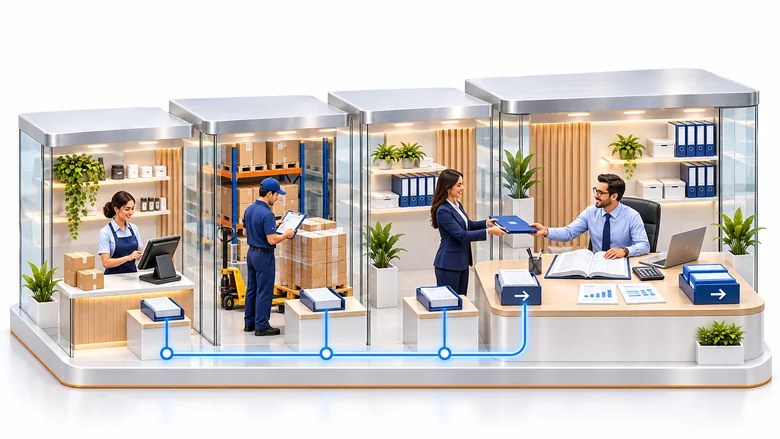
Assign revenue, purchases and personnel costs to cost centers to understand each operation’s results.
Workflow example. A cleaning company assigns a contract cost center to its documents. At month end, the accountant reviews revenue and expenses for that center and opens the supporting documents behind a balance.
Track foreign-currency obligations, each document’s rate and exchange differences on payment or closing.
Workflow example. An importer records a US-dollar purchase and its later payment. The team reviews the original amount, the peso entry and the exchange difference, then previews revaluation of open balances at closing.
Connect obligations, payment batches and bank transactions, with review at each step.
Workflow example. The treasurer selects outstanding invoices, reviews the batch and prepares the bank file. Later, the team compares recorded movements with the statement and investigates an unrecorded fee.
Explore the process
Bring period-end reviews together and use the results to plan upcoming collections and payments.
Workflow example. Management reviews the close with accounting, compares expenses against budget and tests slower collections before organizing upcoming commitments.
Explore the process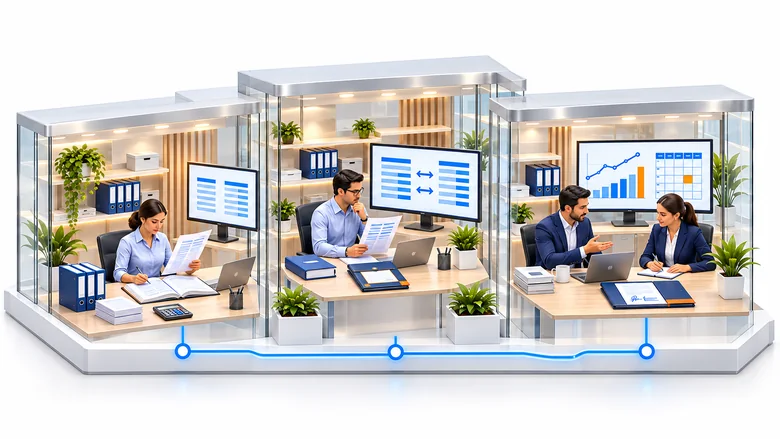
Switch between companies you can access, retain each chart of accounts and review documents with tools that fit your workflow.
Workflow example. An accountant opens an authorized company, reviews a suggested entry and prepares reports. They then switch company to work on another set of books with separate data and permissions.
Follow the information exchanged between OpenBusiness areas, with access to the document behind each entry.

Invoices and credit notes create entries; receipts and advances update collections, balances and bank records.
Purchases, expenses and withholding feed accounts payable; disbursements and payment batches record settlement.
Valued movements and cost of sales flow into accounting with their source records.
Posted production costs connect materials, finished goods and company accounts.
Wages, contributions and provisions create entries by component and cost center for reviewing personnel costs.
Sales and collections connect to journal entries; clearing accounts help review unmatched payment-processor items.
Keep documents linked to the operation for consultation during accounting reviews.
Use roles, traceability and configured approvals to define who can review, prepare and authorize.
You can record accounting directly and import information from other systems. Exchange depends on file formats, account mapping and destination validation.
Import accounts, entries and opening balances. Reconcile the opening journal with subledgers to avoid duplicating receivables, payables or inventory.
Import Excel/CSV statements and generate payment files. Check mappings, data and the format agreed with each bank.
Export reports to Excel or PDF; use CSV/PDF in the report builder. If another ERP is the destination, agree on the format and account mapping.
Automate repeated work while keeping decisions with your team.
Suggests accounts for supplier invoices based on the supplier’s history. Taxes use rule-based calculations, and a person reviews the draft before posting.
Combine rules and explained suggestions to find matches. AI assistance requires configuration and does not replace transaction review.
Prepare recurring expense drafts and schedule reports. Use cash scenarios to prioritize collection follow-up.
Define responsibilities and keep the context of every change visible.
Separate viewing, editing, approval, setup and closing. Company access is validated before its data is shown.
Posted entries retain their history. Reversals, adjustments and reopening records explain what changed, who acted and why.
Use contextual help for accounts, banking, closing, budgets and foreign currency. Simple mode and the report center are optional ways to organize the experience.
Define accounts, cost centers, banks, permissions and a cutoff date. Import and reconcile balances, test a purchase-to-payment-and-reconciliation cycle, and agree with the commercial team on the guidance and support channels you need.
You can import a chart of accounts, entries, balances and statements. Reports can be exported, but a universal journal-entry connector to another ERP is not assumed: formats and accounts need validation.
Yes, they can switch between companies they are authorized to access. Each retains its records and configuration. This is not intercompany accounting consolidation.
No. It suggests accounts and matches for review. Posting and payment confirmation follow configured permissions, controls and approvals.
This page also covers withholding, certificates, tax drafts, information for DIAN and assets with separate accounting and tax values. Tax working papers require professional review before filing.
No. The website explains the module in those languages; the described scope is Colombian and the functional ledger is in Colombian pesos. Translation does not imply another country’s tax localization or availability of the whole application in those languages.
Describe how you organize cost centers, banks, currencies and closing, and which data you need to import. This helps prepare a discussion around your actual workflow and the guidance you need.
Tell us how you record, pay and close today. Let’s review the workflow your business needs.