 OpenBusiness by Tradebook
Know what you can deliver
Check stock by warehouse and distinguish order reservations from availability. Keep goods in transit or under quality control separate.
Quote, invoice with DIAN, sell online and chat on WhatsApp from a single customer record.
SCServices and ContractsOperations manager · Deliver and billQuote with margin, run orders at actual cost, sign contracts and serve in the field.
ABSupply and ProductionPurchasing / logistics / plant · Source and produceManage purchasing, inventory, imports and production, with lot tracking, quality control and actual cost per order.
FIFinanceAccounting / financial management · Balance the booksEvery operation is reflected in your accounts. Manage taxes, banks, assets and period closing.
PEPeopleHuman resources · Care for the teamElectronic payroll and social security contributions, signed uniform deliveries and tracking of valid courses and certificates.
PLPlatformIT / management · Included with every purchaseAutomate tasks, ask your AI assistant, connect other applications and control access and changes.
Staffing contracts by site, special services, supplies at cost, AIU and per-worker annex.
SCPEABPrivate securityStaff per post with surcharges, uniforms and PPE with signed records, training with expiry dates.
SCPEFITemporary staffing and outsourcingWorkers on assignment, pre-invoice per worker, electronic payroll and PILA costed to the client.
PESCFIDistribution and consumer goodsRoutes and collections with Trade360, inventory movement records per warehouse, filling and packing, catch weight, batch labels.
COABSCRetail, stores and restaurantsPoint of sale with electronic POS document, online store, marketplaces and inventory.
COABFIImporters and trading companiesImport and export checklists, import declaration costs included in inventory and foreign currency operations.
ABFICOManufacturing and industryRecipes and bills of materials, production orders, actual cost, make-to-order, purchasing and batches.
ABPEFITechnical service and maintenanceField work orders with forms and evidence, support with agreed response times and spare parts tracked in inventory.
SCABCOGovernment contractors and suppliersContracts with Colombia’s SECOP II procurement platform, adjustments based on inflation, minimum wage or tax units, agreed service times, insurance policies and document history.
SCFIPEAgribusinessHarvest or livestock intake with weighing, quality and settlement; batches and traceability; field staff.
SCPEABFood and beverageBatch recipes, signed critical control points, traceability to origin, catch weight and harvest settlement.
ABFICOChemicals, cleaning products and cosmeticsPercentage formulas with versions, pH and viscosity as critical points, health notification and data sheets.
ABFICOFrom receiving to dispatch: warehouse stock, batches, serial numbers and reservations in one operation. Each movement retains its source and updates your inventory value.

The stock ledger records every receipt and issue: what moved, when, under which document and at what cost. Understand the balance as well as look it up.
Check stock by warehouse and distinguish order reservations from availability. Keep goods in transit or under quality control separate.
Follow receipts and issues back to their source document. Compare physical counts with recorded balances and apply adjustments with approval at the defined threshold.
Identify products below minimum stock and check their value. Each receipt recalculates average cost; each issue uses the current average.
Purchasing, sales and warehouse teams work with the same products and stock movements.
Purchase receipts record quantities and cost. Capture batches and expiry dates or serial numbers according to the product.
An order commits goods; the delivery note consumes the reservation. Cancelling the order releases it.
Move goods at their source cost. For transfers in transit, confirm receipt to add stock at the destination.
Check movements, products below minimum stock and count discrepancies. Valued adjustments follow your approval rules.

Explore each area and see how it connects to your operation.
See how much is in each warehouse and what it is worth.
Identify the goods you receive and the individual units you deliver.
Coordinate physical movements with customer commitments.
Turn a discrepancy into a documented adjustment.
Assemble products from components while preserving their cost.
Organise the information shared by purchasing, warehouse and sales teams.

For distributors, equipment suppliers and businesses that assemble kits.

Receive goods at one location, reserve them for an order and transfer them to another, tracking dispatch and receipt.
Example workflow. A distributor receives goods at its central warehouse. Before fulfilling a regional order, the team checks reservations and sends a transfer. The destination confirms receipt and checks the cost retained from the source.
Explore this use case
Identify each receipt, check balances by batch and prioritise the products that expire first when preparing an issue.
Example workflow. A trading company receives products with different expiry dates. When preparing a delivery, the team checks batches and chooses the earliest expiry. Quarantined goods remain separate from availability.
Explore this use case
Track an identified unit from receipt through sale and check its status and history.
Example workflow. A shop receives equipment with serial numbers. When delivering a unit, it records the available serial number; that unit is no longer available for another sale.
Explore this use case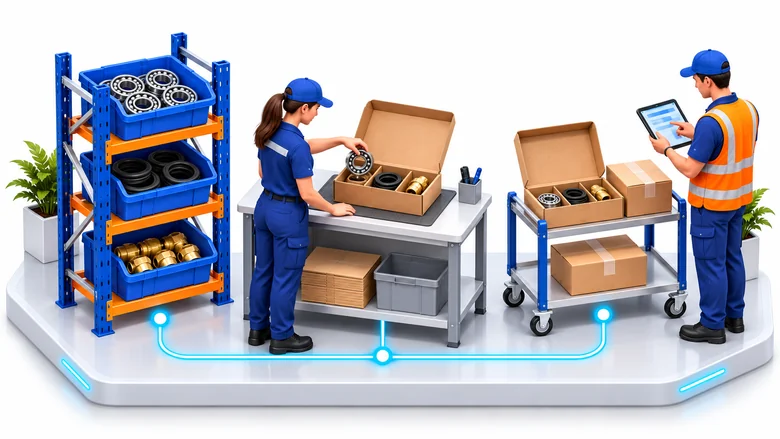
Physically combine components into a product you can store and sell.
Example workflow. A business assembles a spare parts kit: components leave stock and the kit enters at their combined cost. Disassembly distributes the value among recovered components.
Explore this use case
Compare counted quantities with the warehouse balance and retain a record of the discrepancy and adjustment.
Example workflow. The responsible person captures a reference balance, records the count and reviews the discrepancy value. If it exceeds the defined threshold, approval is requested before adjustment.
Explore this use caseDocuments from each module feed the same stock ledger. Open the source without entering the information again.

Purchase receipts and invoices add goods and their receipt cost.
Orders reserve stock; delivery notes and invoices record issues without deducting the same delivery twice.
Each counter sale uses the shared catalogue and deducts stock with its cost.
Catalogue availability feeds the store and stock publication on connected channels.
Material dispatches and returns are linked to the order and its costs.
Issuing uniforms and personal protective equipment generates movements by product and size.
Connects goods in transit, receipts and import costs with your inventory.
Posts cost of sales and physical count adjustments using the accounts configured for your business.
Field deliveries and consumption connect through Trade360 processes.
Consumes materials, receives finished goods and shares batches, reservations and order cost adjustments.
Combine native OpenBusiness operations with information exchanges defined for your business.
Import products from Excel or CSV with validation. Review codes, units and categories before confirming.
Query the catalogue through the API, an interface for connecting systems, and export stock and movements to Excel.
If you retain another accounting system, agree on the data exchange and reconciliation. Native cost and adjustment posting connects to OpenBusiness Accounting.
Ask Copilot about stock and organise alerts and approvals within your operation.
Copilot queries stock, average cost and minimum stock by code, name or barcode, with a link to the product record.
Organise alerts for batches approaching expiry so the responsible person can review what should leave first.
Approvals control adjustments above the threshold. Copilot enquiries respect access permissions.
Define products, warehouses, opening balances and responsibilities before you begin.
Define warehouses, products, traceability, accounts and opening balances. Validate a receipt, an issue and a count with your team.
Separate inventory viewing and editing permissions. Documents and movements retain their source for operational review.
Use the help for inventory, batches, serial numbers, transfers, counts, assemblies and the catalogue. Coordinate implementation and assistance with your adviser.
Stock is the quantity recorded in a warehouse. Availability considers order reservations and, under the relevant policies, excludes goods in transit or under quality control.
With weighted average cost: each receipt combines its value with the existing balance. Issues use the current average; expiry-based picking does not change this method.
Inventory assembles and disassembles simple kits at component cost. Production adds recipes, operations, planning, quality and costs by order. Existing assemblies can be converted into recipes.
The general physical count compares and adjusts quantities by product and warehouse. Batches and serial numbers have their own identity and movement enquiries.
Yes. Import products from Excel or CSV and review row validation before confirming. Loading the catalogue and opening stock balances are separate implementation steps.
You can export information and query the catalogue through the API. Connecting another accounting system requires defined scope and reconciliation; a universal connector is not assumed.
Tell us how you receive, store and deliver your products. Let's review your warehouses, traceability and connections in a demonstration of your workflow.