OpenBusiness by Tradebook
Product
Cleaning and facility management

Staffing contracts by site, special services, supplies at cost, AIU and per-worker annex.

SCPEAB
Private security

Staff per post with surcharges, uniforms and PPE with signed records, training with expiry dates.

SCPEFI
Temporary staffing and outsourcing

Workers on assignment, pre-invoice per worker, electronic payroll and PILA costed to the client.

PESCFI
Distribution and consumer goods

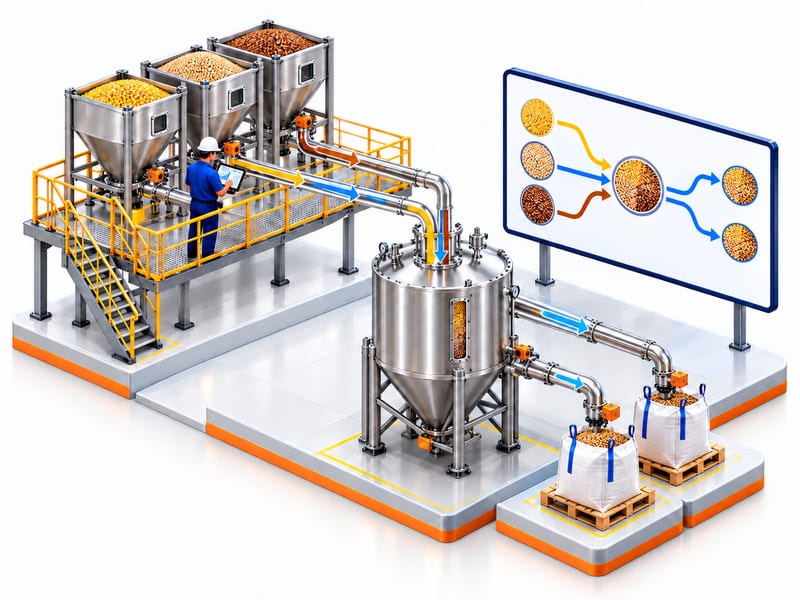
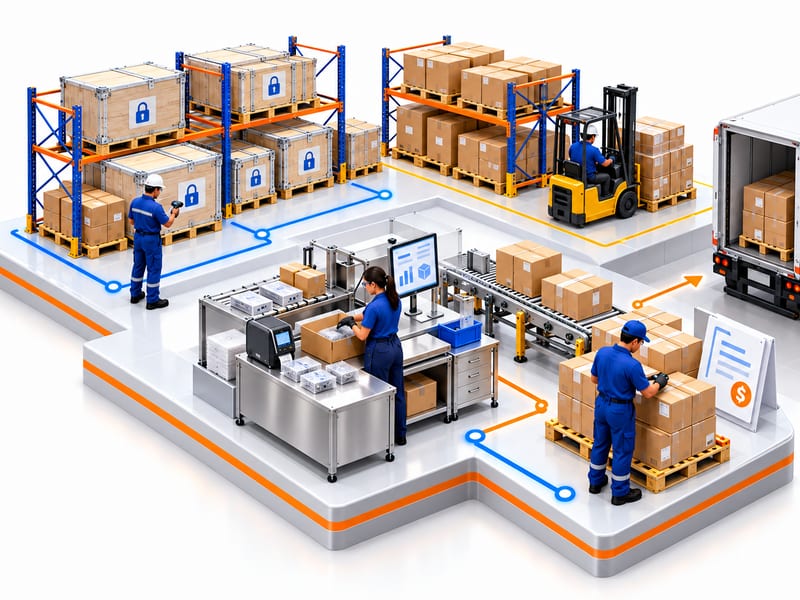
Routes and collections with Trade360, inventory movement records per warehouse, filling and packing, catch weight, batch labels.

COABSC
Retail, stores and restaurants

Point of sale with electronic POS document, online store, marketplaces and inventory.

COABFI
Importers and trading companies

Import and export checklists, import declaration costs included in inventory and foreign currency operations.

ABFICO
Manufacturing and industry

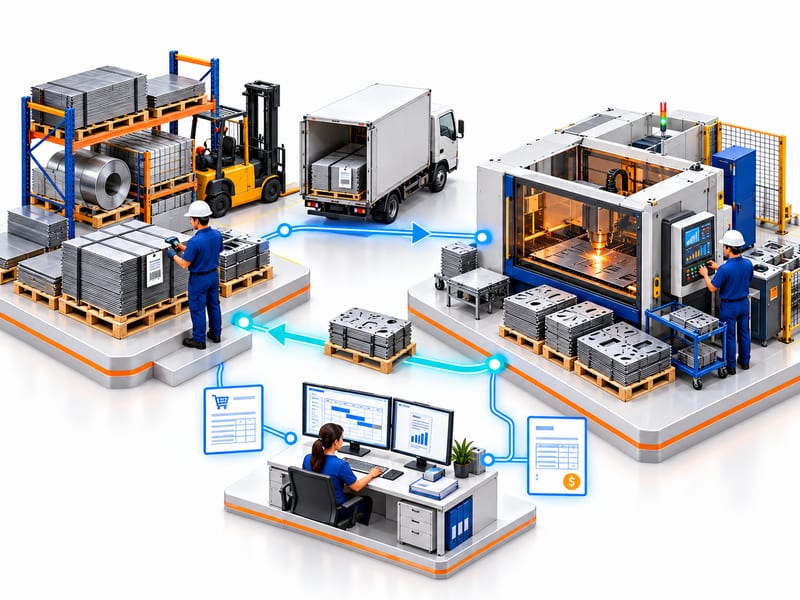
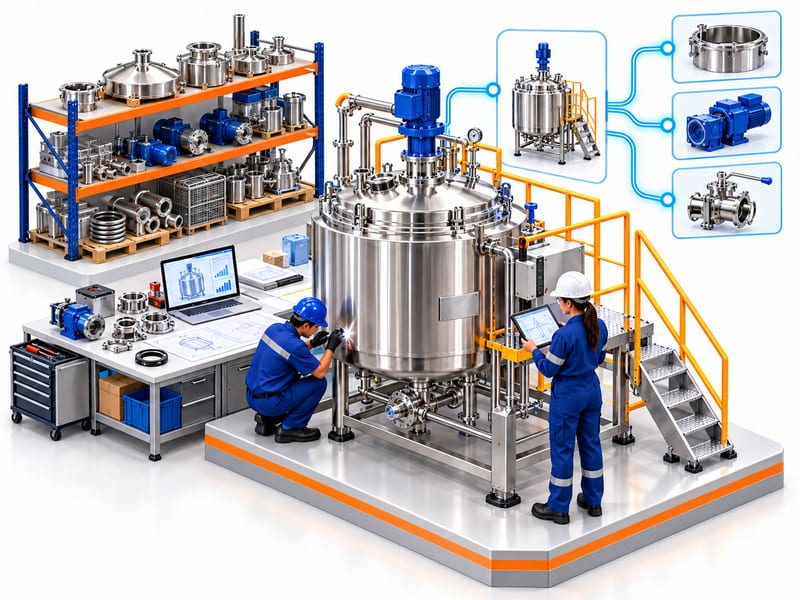
Recipes and bills of materials, production orders, actual cost, make-to-order, purchasing and batches.

ABPEFI
Technical service and maintenance

Field work orders with forms and evidence, support with agreed response times and spare parts tracked in inventory.

SCABCO
Government contractors and suppliers

Contracts with Colombia’s SECOP II procurement platform, adjustments based on inflation, minimum wage or tax units, agreed service times, insurance policies and document history.

SCFIPE
Agribusiness

Harvest or livestock intake with weighing, quality and settlement; batches and traceability; field staff.

SCPEAB
Food and beverage

Batch recipes, signed critical control points, traceability to origin, catch weight and harvest settlement.

ABFICO
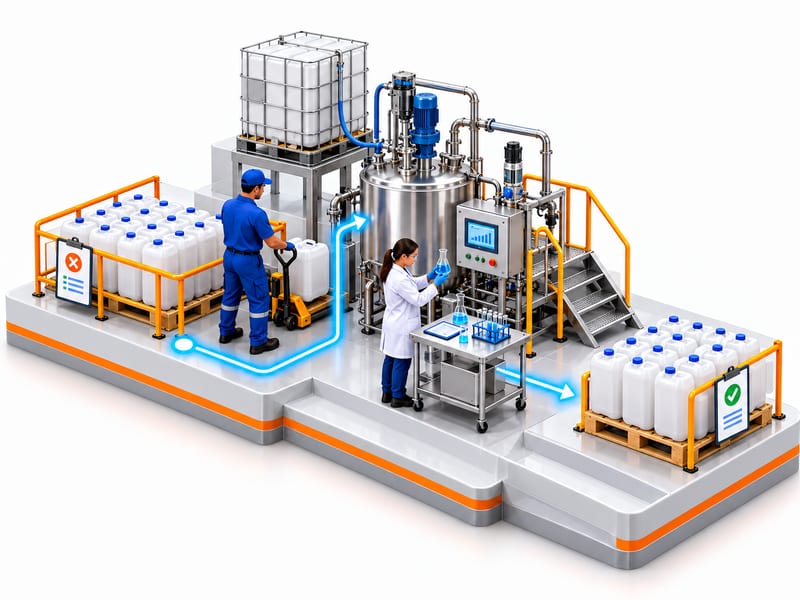
Chemicals, cleaning products and cosmetics

Percentage formulas with versions, pH and viscosity as critical points, health notification and data sheets.

ABFICO
Recommended suites:COSalesSCServices and ContractsABSupply and ProductionFIFinancePEPeople
Manufacturing module

Production
One manufacturing platform. Any industry.

OpenBusiness Production takes your plant from the recipe to the accounting close in one place: versioned formulas and bills of materials, production orders, a shop-floor terminal on the operator's phone, quality with signed critical control points, traceability of every lot, raw material receipt and settlement, catch weight, toll manufacturing, material requirements planning, Gantt scheduling and actual cost per order under IAS 2, the international inventory accounting standard.

There is no module per industry: there are twelve production models and seven sector packs that install, in one click, the products, recipes, quality tables, critical control points, labels, reports and terminology of your sector, with the Colombian regulations that apply to you. If you run a business management system (ERP) for accounting and invoicing, Production works alongside it and hands over the accounting records with your accounts.

Manufacturing plant with operators recording a production order on a tablet, next to stainless steel tanks and pallets of finished goods
12production models in a single engine
7Colombian sector packs ready to install
8recipe types: assembly, formula, breakdown, packaging, rework, growth, consolidation and split
5certified roles: operator, planner, plant manager, quality and costing

The entire production process, from start to finish

Explore the complete module workflow: its stages, decisions and connections, from preparation to production closing. Diagram labels are in Spanish.

Open original image
Complete OpenBusiness Production workflow: 42 scenes, 8 decisions and 52 connections between process stages. Diagram in Spanish.

Drag or swipe sideways to explore the process. You can also use the arrow keys, zoom in on details or start the automatic tour.

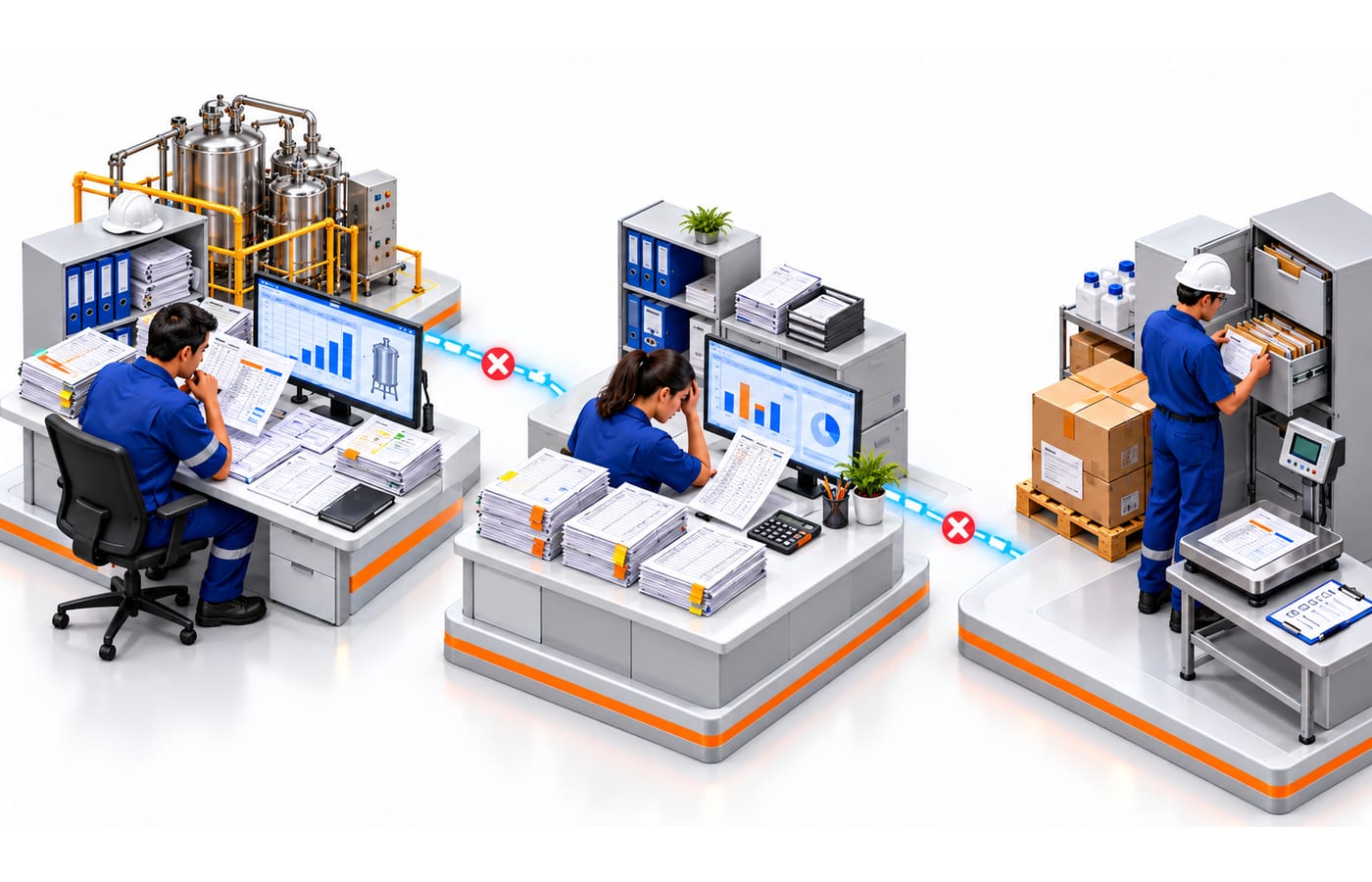
What happens in many plants today

These are the situations we hear again and again in Colombian manufacturing companies. Production exists to solve them with data, not with more spreadsheets.

Scattered recipes, late cost calculations and paper traceability records on a plant office desk
01The recipe lives in Excel

Formulas, yields and losses with no version control. When a complaint arrives, nobody knows which formula was in force the day the lot was made. In Production every recipe has versions with approval, effective dates, a reason for the change and a history of who changed what and when.

02The cost arrives the following month

Labor and plant expenses spread by eye, and the margin per product is an estimate. Here every order has its cost sheet while it is in process and when it closes: raw material at lot cost, actual hours of your people and plant costs at a rate per work center.

03Traceability is a filing cabinet

Reconstructing a lot takes days among papers, scale tickets and notebooks. With Production you type the lot number and see which receipts and suppliers it came from and which customers it went to, even when lots were blended in silos or tanks.

04Raw material is settled by hand

Weighings, moisture, impurities, advances and grower levies are calculated outside of purchasing. Here the receipt weighs, analyzes against the quality table, validates the minimum price, deducts levies, withholding and advances, and the settlement creates the purchase invoice.

05Quality signs on paper

Critical control points are written on a form that later has to be found. In Production the operator records the value and signs on the phone; if it is out of range, the lot is placed on hold and nobody can consume or ship it until quality releases it.

06Systems do not fit small and mid-sized plants

Expensive tools, long implementations or administrative systems that do not cover production. Production is switched on by feature, installed by pack and works integrated with all of OpenBusiness or with the business management system (ERP) you already use.

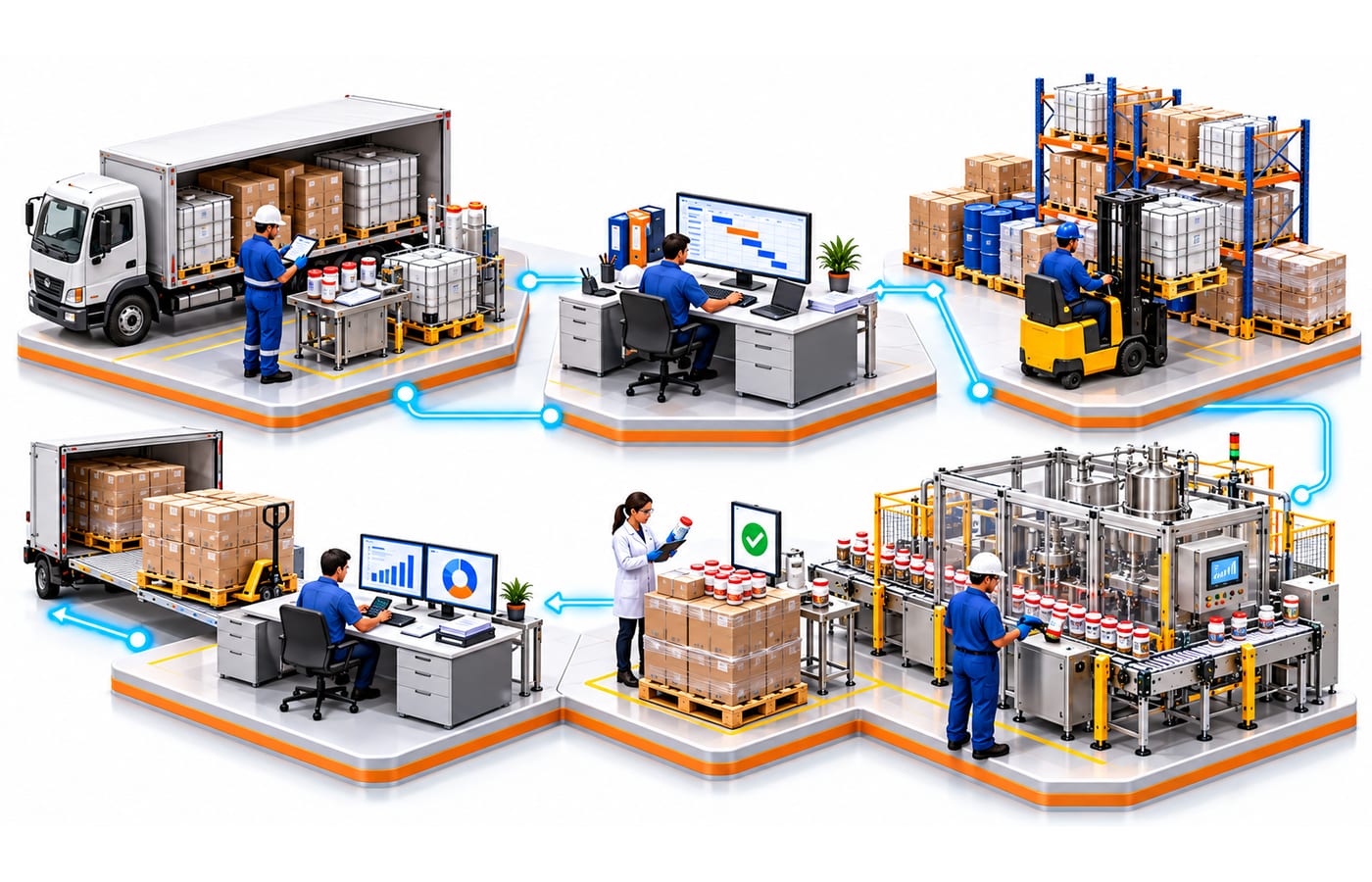
A day in the plant with Production

People, materials, orders and costs connected on one platform. This is what a typical shift looks like when every record happens where it happens, at the moment it happens.

Receiving with a scale, planning, reservations, production, quality release and shipping connected in OpenBusiness
  1. 06:30
    Raw material arrives

    The truck drives onto the scale. The gatehouse records gross and tare, or loads the file your scale generates. The lab takes the sample and analyzes it against the quality table; the lot enters a silo, pen or cold room in quarantine, and the supplier settlement is ready with price, quality deductions, levies, withholding and advances.

  2. 07:15
    The day is planned

    The planner runs material requirements planning (MRP): it matches open sales orders, forecast, stock, reservations and replenishment rules, and proposes what to buy, what to make and what to transfer, with a date. Every suggestion says which order or forecast it comes from. Accepting them creates draft purchase orders and planned production orders.

  3. 08:00
    The order is released

    The order copies the approved version of the recipe and routing, shows the availability of each material with a traffic-light indicator, reserves what it needs in the warehouse so nobody else uses it and freezes the planned cost. If the recipe requires a sanitary registration, the system checks that the version is covered.

  4. 08:30
    The operation runs

    The operator opens the shop-floor terminal on a phone, sees the work queue for the work center, starts the operation with a timer, scans the lot being consumed and records downtime with its reason. At the critical control point (CCP), the system asks for the values and the signature before moving on.

  5. 11:00
    Progress is recorded

    Partial output with lot and weight: the product enters inventory before the order closes, at planned cost. Consumption can be backflushed automatically from what was produced, taking the lot that expires first (first-expired, first-out, FEFO).

  6. 13:00
    Quality releases the lot

    The inspector records the results on a single screen, with evidence photos and a signature. If everything is in range, they approve, generate the certificate of analysis (COA) as a PDF and release the lot from quarantine. If something fails, the lot stays on hold and a nonconformance is opened.

  7. 14:30
    Packing and shipping

    The label prints with a GS1-128 barcode: product, lot, expiry, weight, allergens, sanitary registration and the unique code of each case or pallet. With catch weight, the delivery note is weighed and the customer pays for the actual kilograms.

  8. 16:00
    Toll manufacturing and subcontractors

    Material a customer brings stays in a custody warehouse at zero cost and only the service is invoiced. What you send to a subcontractor leaves into their custody and comes back as a semi-finished good; the subcontractor's invoice is charged to the order as subcontracting.

  9. 17:00
    Closing the order

    On close, the system calculates the actual cost: materials by lot, labor by hours, overhead at the work center rate, and scrap beyond tolerance as an expense. Output is adjusted to actual cost, leftover reservations are released and every step leaves its accounting voucher.

Twelve production models, one engine

Production does not model industries: it models transformations. With eight recipe types and eight order types you can describe any process, and what is specific to each sector comes with the pack. These are the models you can combine in the same plant.

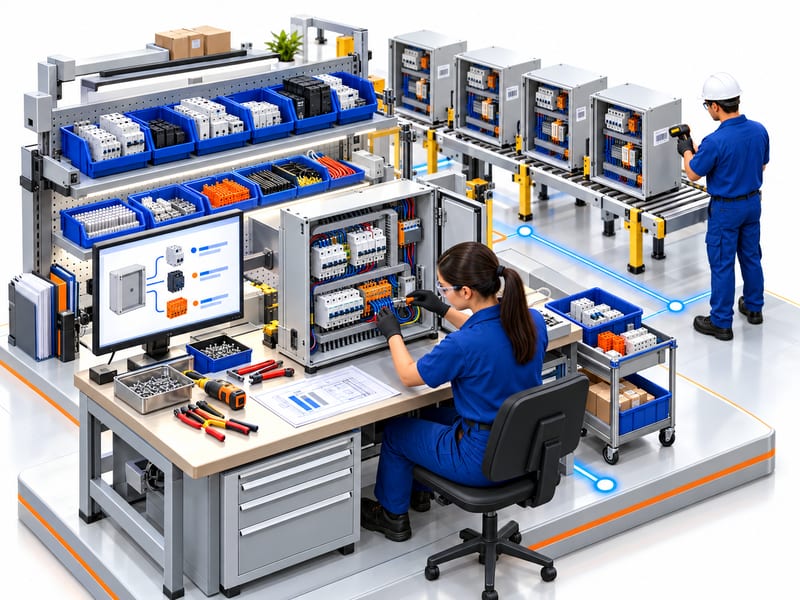
Operator assembling a kit from components laid out on an assembly bench

Assembly (discrete manufacturing)

Joining components to form a product: a kit, a machine, a piece of furniture.

How it solves it: Multi-level bills of materials, "phantom" subassemblies that are built and used immediately without passing through the warehouse, substitute materials, routings with operations per work center, serial numbers per unit produced and backflushing of materials from what was produced. If you build kits with the inventory assemblies module, they convert to recipes in one step, with no retyping.

  • Kits and workwear sets
  • Machinery and equipment
  • Light electrical assembly
  • Furniture
CaseExample: from the sales order to the kits

A sales order asks for 20 workwear kits. From the order you create the production orders for what still has to be made; one of them, closed, made 5 kits at an actual cost of COP $720,000.

See the industry →
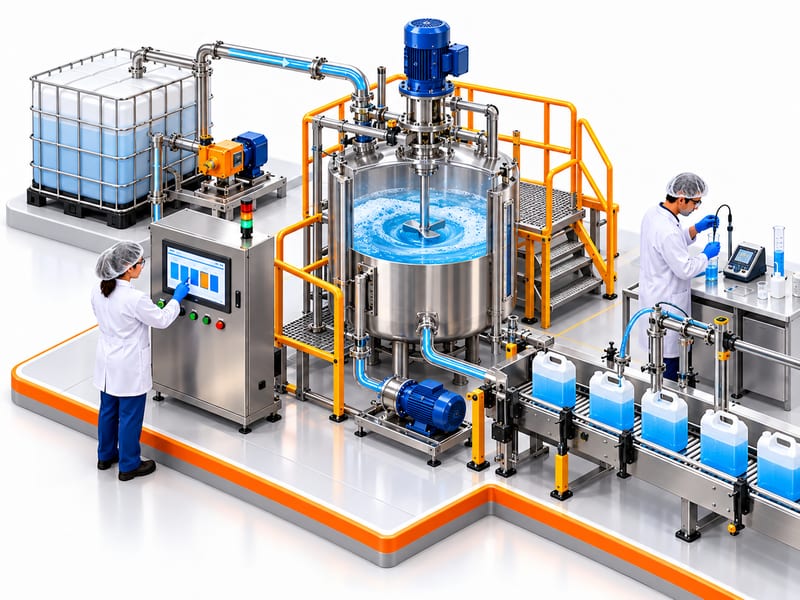
Mixing tank with ingredient dosing and a screen showing the formula in percentages

Formula by batch or by percentage

Blending ingredients in proportions: detergents, animal feed, bakery mixes, sausages, paints.

How it solves it: The formula is written as a percentage of the base mass and the system validates that it adds up to 100%. It scales by batch or in steps, respects the standard, minimum and maximum batch size, converts kilograms to liters using density to fill by volume, and links every ingredient to the routing stage where it is used, with critical control points per stage.

  • Soaps and detergents
  • Animal feed and pet food
  • Flour milling (fortified blends)
  • Sausages
CaseExample: liquid detergent

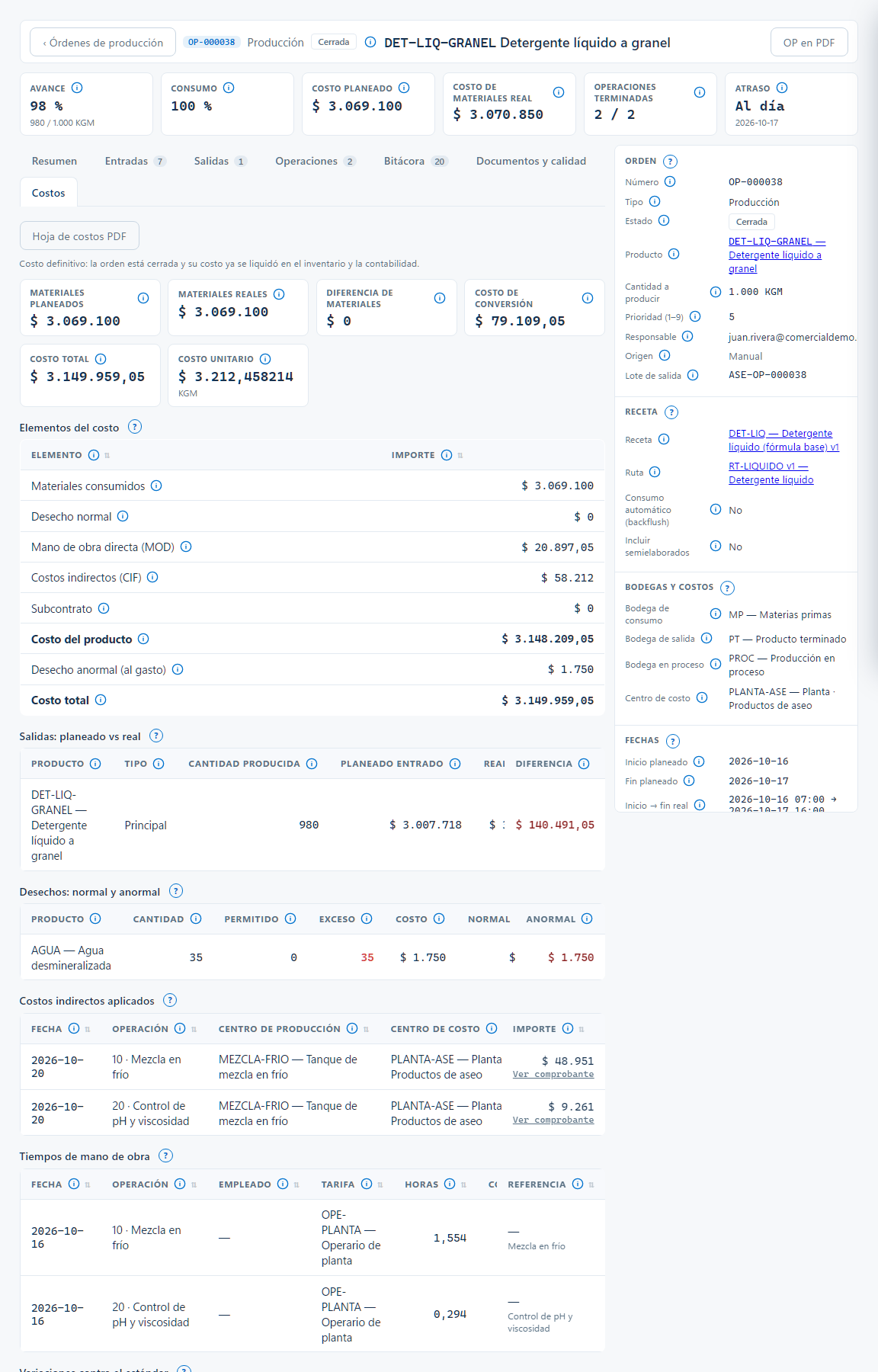
The formula has 70% water and 12% sulfonic acid, among others, and adds up to 100%. A 1,000 kg batch closed at an actual cost of COP $3,149,959.05. In flour milling, bakery flour carries a 0.25% vitamin premix.

See the industry →
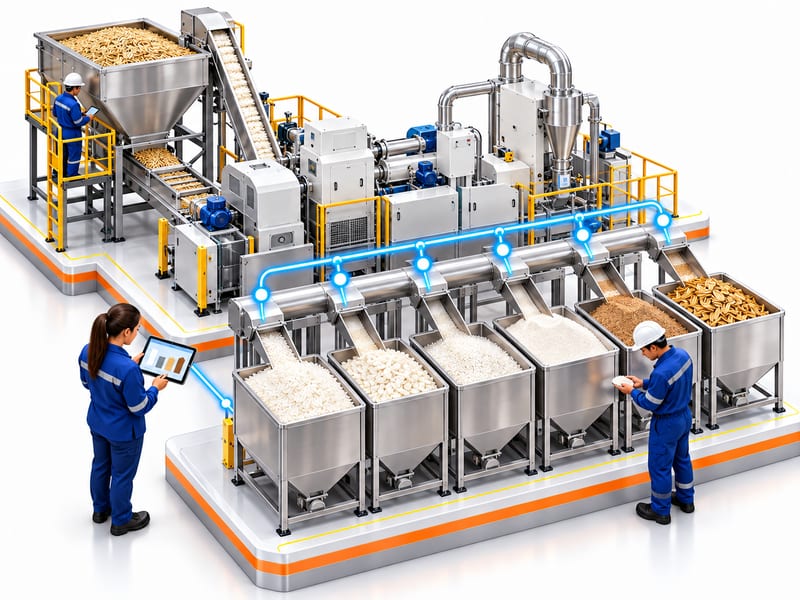
Rice milling line with several products sorted into hoppers

Breakdown and co-products

One raw material yields several products: rice milling, wheat milling, tuna cleaning, pork cutting.

How it solves it: The recipe declares a yield per output and classifies each one as main product, co-product, by-product or scrap. Joint cost is allocated by relative sales value, fixed percentage, weight or net realizable value (NRV), as required by IAS 2, the international inventory accounting standard; by-products do not inflate the cost of the main product.

  • Rice mills
  • Wheat milling
  • Canned fish
  • Slaughter and cutting plants
CaseExample: paddy milling

From 1,000 kg of dry paddy come head rice, broken rice, brewers' rice, rice flour, bran and husk. The actual cost of COP $1,657,805.88 is allocated by relative sales value and the bran deducts its net realizable value.

See the industry →
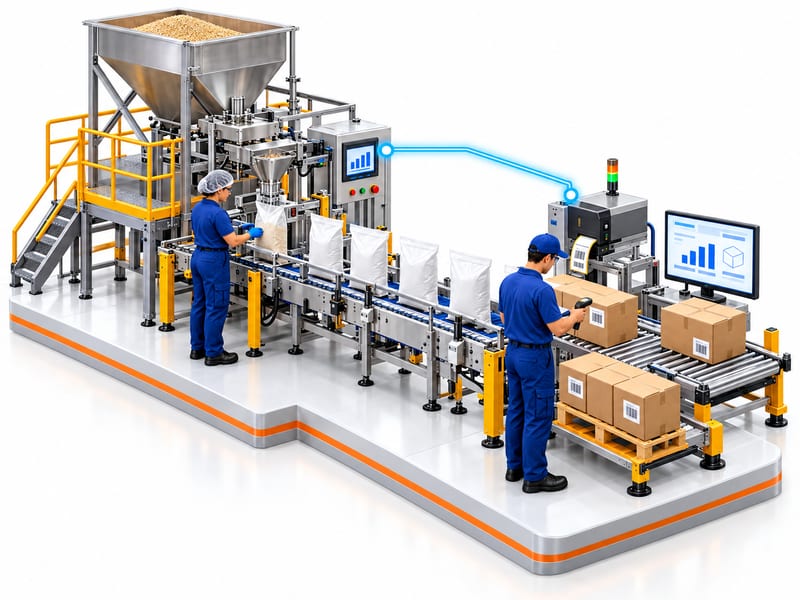
Filling line filling jugs and bags with a lot label

Filling and packaging

Bulk product plus packaging material equals a retail presentation.

How it solves it: Packaging recipe type: the bulk product and the packaging go in, the presentation comes out. There can be several presentations of the same bulk product, the output lot can inherit the bulk lot so traceability is never broken, and the label prints with lot, expiry and sanitary registration.

  • Rice bags
  • Feed bags
  • Detergent jugs
  • Cans and cases of preserves
CaseExample: 25 kg bag

A packaging order turns bulk feed into 25 kg bags. The bag label prints with the product's ICA registration number (ICA is Colombia's agricultural authority) and the lot.

See the industry →
Operator adjusting a held lot in a tank while checking the pH test result

Rework

Correcting a lot that came out of specification.

How it solves it: A rework order takes the held lot plus the correction inputs and delivers the corrected product. The original lot is never lost in traceability and the cost of the rework stays on the order.

  • Soaps and detergents
  • Any plant with rework
CaseExample: pH out of range

If the pH check reads 9.2, outside the critical control point range, the detergent lot is held and corrected with a rework order using citric acid; with the pH back in range, quality releases it.

See the industry →
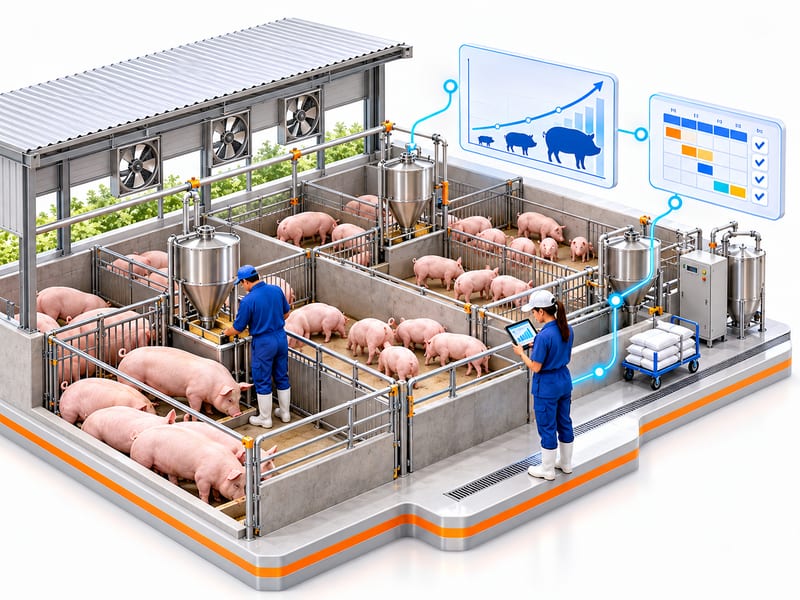
Finishing pen with feed and medication records on a tablet

Biological lot (growth)

Animal finishing as a long-running order.

How it solves it: The order consumes feed by week and medications with their withdrawal period, records mortality and delivers live animals with their cost per kilogram. The lot inherits the release date set by the medication withdrawal, and material requirements planning (MRP) does not count it as available while it is in withdrawal.

  • Pig farming
  • Broiler farming
  • Fish farming
  • Cattle finishing
CaseExample: a farm with a movement permit

The farm has its ICA registration (ICA is Colombia's agricultural authority) and its internal animal movement permit (GSMI). 20 live hogs are received with weight and head count, and another 15 are rejected for low weight, with the reason recorded.

See the industry →
Grain silos with a diagram of the lots being blended and their shares

Lot consolidation and split

Blending several lots in a silo, tank or pen, or splitting one lot into several.

How it solves it: Consolidation merges several lots into a new one without losing where each kilogram came from: the child lot inherits the earliest expiry, the union of allergens, the most restrictive status and the share of each parent. Split does the opposite. Silos, tanks and pens are work centers; closing the silo opens a new lot.

  • Paddy silos
  • Wheat silos
  • Preserve and chemical tanks
  • Pens
CaseExample: the mill's silo

A silo consolidation worth COP $437,217 merges several paddy lots into a single silo lot. Afterwards, the traceability of every bag reaches each receipt and each farm, with the share it contributed to the blend.

See the industry →
Custody warehouse with a customer's material identified and kept apart from own inventory

Toll manufacturing for customers

Processing material that belongs to a customer and charging only for the service.

How it solves it: Toll order type: the customer's material enters a custody warehouse at zero cost, the order cost is only your labor, overhead and own inputs, and on delivery a draft service invoice is created per kilogram, lot or head. The toll ledger keeps the balance per customer and product, with a statement in PDF and Excel.

  • Slaughter and cutting plants
  • Drying and milling for other businesses
  • Service plants and co-packers
CaseExample: cutting for a customer

A customer brings a pork carcass: it stays in custody, 50 kg are cut and only the service is invoiced, at a cost of COP $67,831.22 for the plant.

See the industry →
Steel sheets leaving for a laser-cutting shop with their custody transfer document

Outsourced operations (sending work to a subcontractor)

Outsourcing one stage of the process without losing control of the material.

How it solves it: The routing marks the operation as subcontracted, with its vendor and cost. The material goes out to the subcontractor's custody warehouse, comes back as a semi-finished good, and the purchase invoice for the service is linked to the order and enters its cost as subcontracting. The toll ledger shows how much of your material each vendor holds.

  • Metalworking (laser cutting)
  • Galvanizing and painting
  • Heat treatment
  • Satellite garment sewing
CaseExample: subcontracted laser cutting

The sheets from a stainless steel lot are sent to the cutter and come back cut. The service invoice is linked to the machine's order and appears on its cost sheet.

See the industry →
Metalworking shop assembling a stainless steel jacketed kettle with its serial plate

Make-to-order and engineer-to-order

Engineer-to-order (ETO) and make-to-order (MTO): every order, a custom solution.

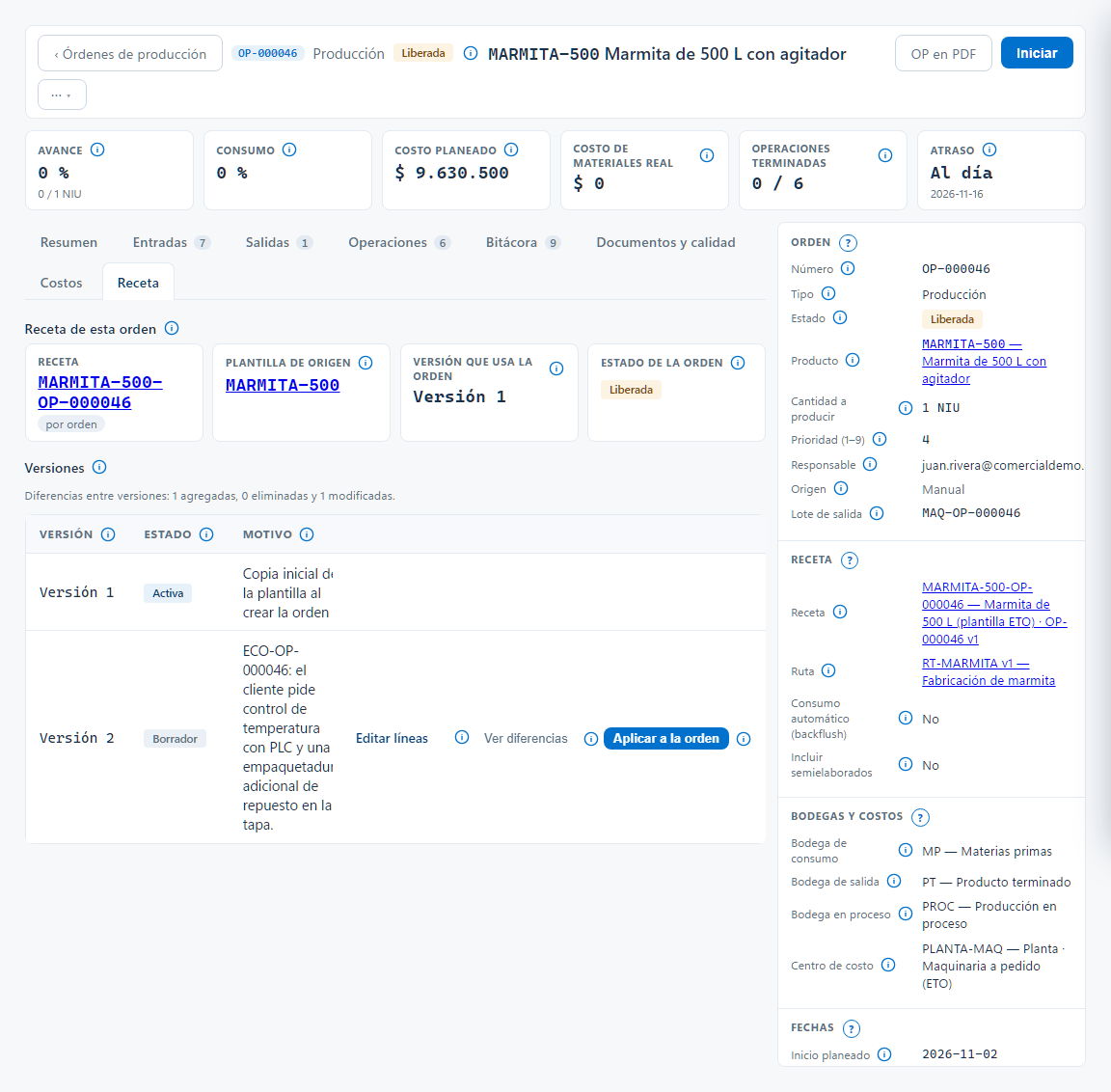
How it solves it: The order is created from the sales order or the project and clones a template recipe into its own recipe, editable while it is planned. Changes after release go through an engineering change order (ECO) with line-by-line differences. On close, the machine leaves with a serial number and its frozen as-built: which sheet, which motor, which components it carries. The spare parts list is kept per serial, and the cost is compared with the quote and shown on the project.

  • Food machinery
  • Steel structures
  • Electrical panels
  • Custom furniture
CaseExample: 500 liter jacketed kettle

A stainless steel jacketed kettle for a customer closed at an actual cost of COP $9,378,719.01, subcontracting included. Its serial has the as-built and the spare parts list that the service team downloads as a PDF.

See the industry →
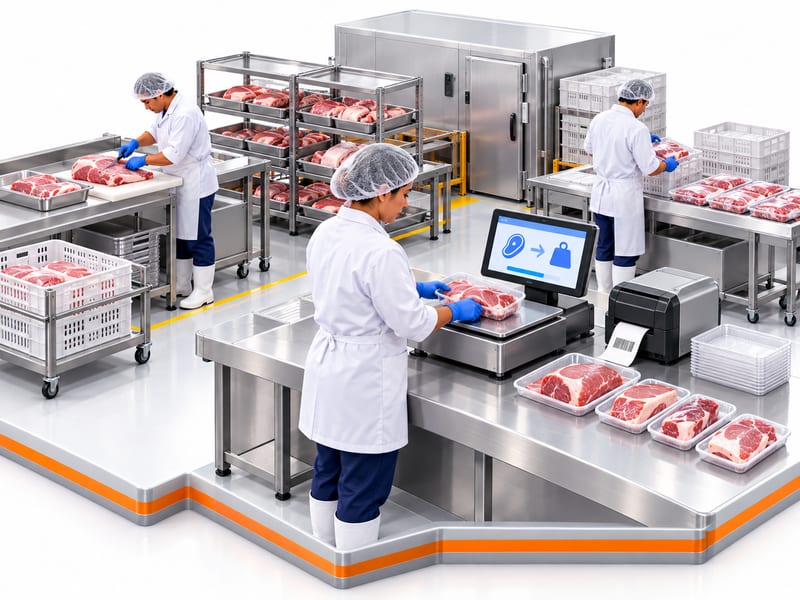
Bench scale weighing a cut of meat with its catch weight label

Catch weight

Sold by the piece, charged by the actual kilogram.

How it solves it: Inventory is kept in kilograms and pieces are tracked separately per lot and warehouse, with an average weight per piece. The GS1-128 barcode label carries the actual weight of each piece. On the delivery note every line is weighed and the quantity is recorded in actual kilograms; on issue, the pieces are deducted.

  • Pork cuts
  • Cheese
  • Fresh fish
  • Chicken
CaseExample: cutting with a scale

From 100 kg of chilled carcass come leg, loin, shoulder, ribs, belly, trim, fat and bone, each cut with its lot and actual weight; two weighings recorded and an actual cost of COP $1,252,642.42 allocated by weight or by value.

See the industry →
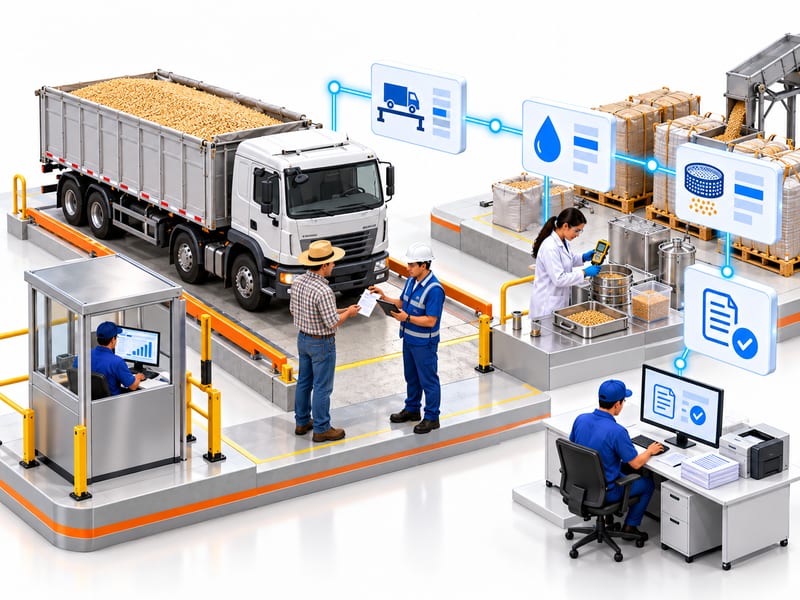
Truck on a platform scale at a mill gatehouse, with the weigh ticket on screen

Agricultural, livestock or fish intake

Harvest, animals or catch that are weighed, analyzed and settled with the producer.

How it solves it: Receipt types: bulk, animals, catch or input. Gatehouse weighing by hand or from the scale file, analysis against a quality table (moisture, impurities, broken grain, histamine, temperature, live weight) with quality deductions and bonuses, a minimum regulated price that warns or blocks, grower levy, agricultural withholding and advances. The settlement creates the purchase invoice and, where applicable, the support document for non-invoicing suppliers.

  • Paddy
  • Wheat, corn and soybeans
  • Tuna by vessel
  • Live hogs
CaseExample: paddy settlement

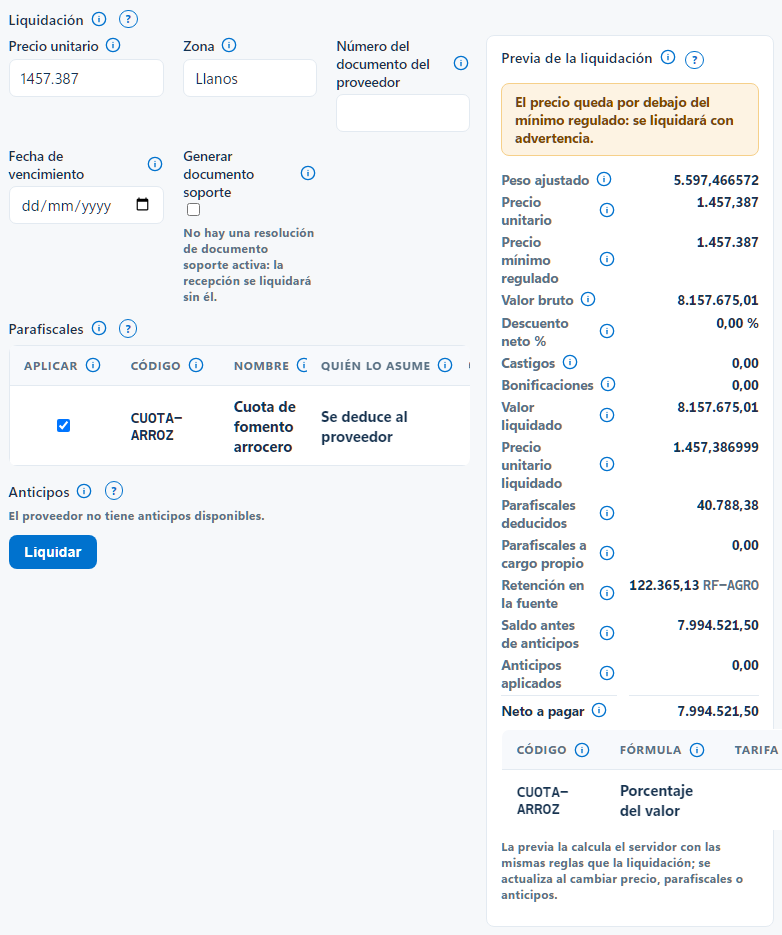
Gross 25,000 kg and tare 15,000 kg give 10,000 kg net. With 22% moisture and 4% impurities the adjusted weight is 8,782.55 kg. At COP $1,457,387 per metric ton the settlement is COP $12,543,579.15; the 0.5% grower levy (COP $62,717.90), withholding (COP $188,153.69) and the advance (COP $3,000,000) are deducted. Net payable: COP $9,292,707.56.

See the industry →

What Production does, area by area

Each area is switched on separately. A small company can start with recipes and orders; a large one uses the whole cycle. This is what the user sees on each screen.

01 · Recipes, formulas and versions

Controlled formula changes, as a good manufacturing practice (GMP) audit requires, and the answer to "how much material do I need?" without spreadsheets.

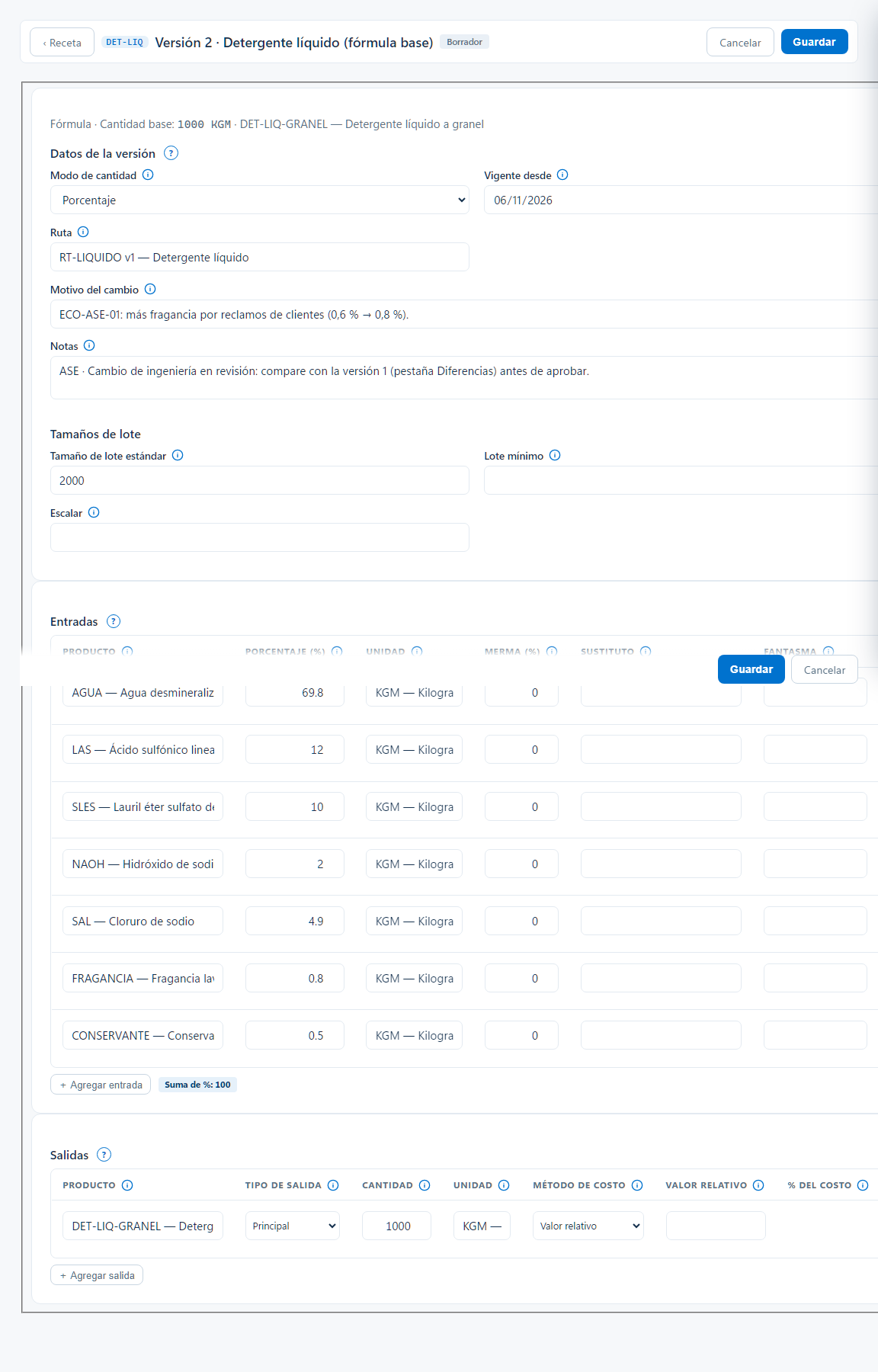
What it looks like: A list of recipes with chips by type (formula, breakdown, packaging, rework, growth, consolidation, assembly). Opening one shows the tabs Inputs, Outputs, Routing, Versions, History and Cost. Inputs carry quantity or percentage, unit, loss, substitute and the operation where they are used; outputs carry their yield and their cost allocation rule.

  • ✓Versions Draft → Approved → Active → Obsolete, only one active, effective from and to, reason for the change and history.
  • ✓Formula in percentages with 100% validation, linear or stepped scaling, and standard, minimum and maximum batch sizes.
  • ✓Loss per line and per process, fixed quantities that do not scale (one label per batch), phantom subassemblies and substitutes.
  • ✓Co-products, by-products and scrap with cost allocation by relative sales value, percentage, weight or net realizable value (NRV); a mass balance that catches badly written formulas.
  • ✓Explode: how much of each material you need to make X, across several levels, with availability and shortages; clone as a starting point; allergens inherited from the inputs.
  • ✓INVIMA, NSO or ICA registration linked to the version (INVIMA is the health regulator, NSO the mandatory sanitary notification and ICA the agricultural authority): nothing is made with a formula that is not covered.
Recipe version edit screen with its inputs in percentages, loss and operation
02 · Production orders and their life cycle

One document for any process, with reservations on release, consumption by lot and actual cost on close.

What it looks like: The list of production orders by status and a kanban board with the columns Planned, Released, In process and Finished. Inside the order: a summary with progress indicators, and the tabs Inputs, Outputs, Operations, Costs, Quality, Documents, Serials and Log.

  • ✓Life cycle Planned → Released → In process → Finished → Closed, plus Canceled with a reason and reversal of inventory, reservations and accounting.
  • ✓Created from the active recipe, from the sales order, from material requirements planning (MRP), from a project, through the connection to other systems or by an automation flow.
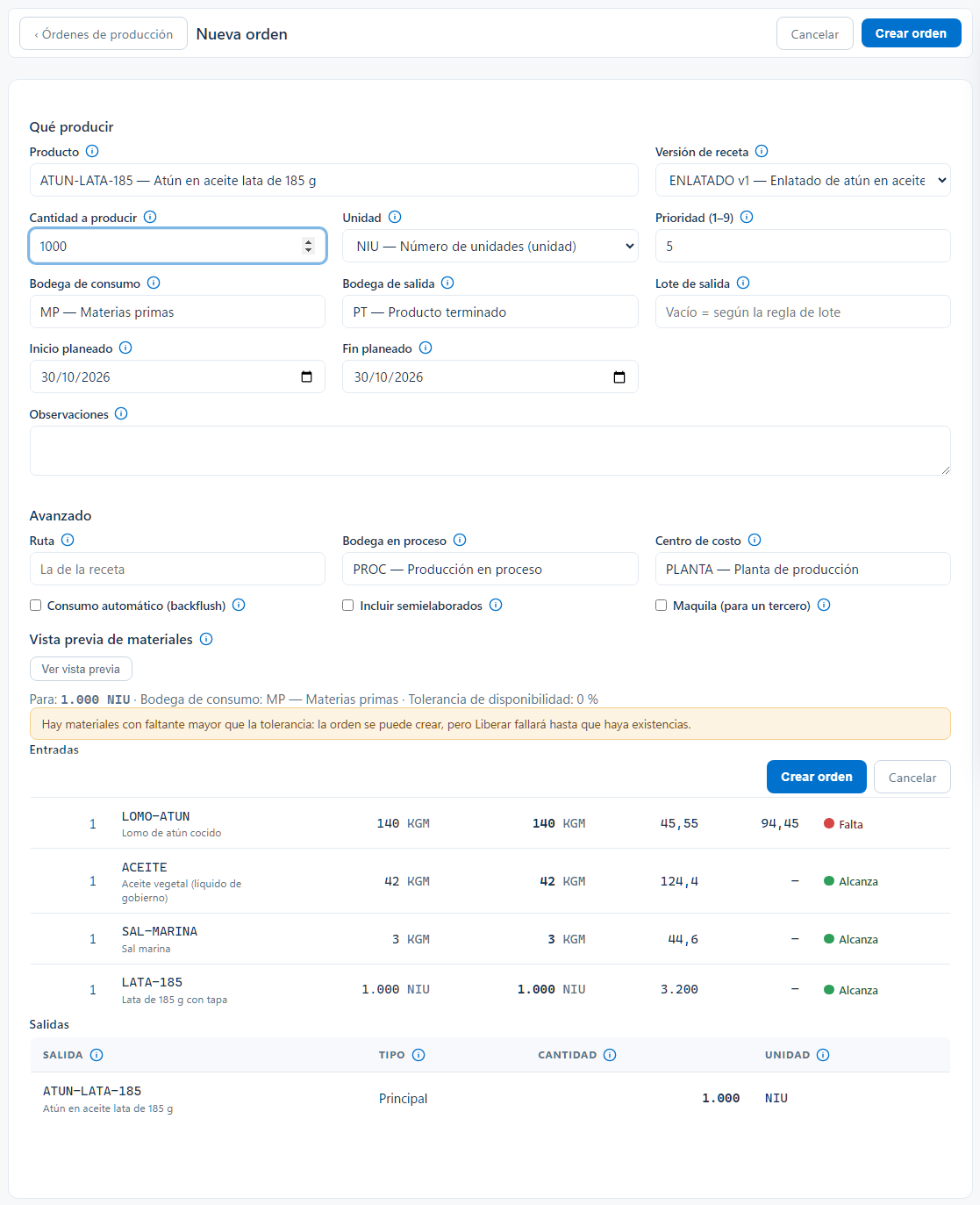
  • ✓Preview with a traffic-light availability indicator per material before creating; reservations in the consumption warehouse on release.
  • ✓Consumption by lot using first-expired, first-out (FEFO), by barcode scanner or by serial number; backflush when an operation or the order finishes.
  • ✓Partial output with lot and weight, a lot born in quarantine when the policy is "by inspection", downtime with reason and scrap with cause.
  • ✓Change history protected against tampering with 29 event types: previous status, new status, date and user; a PDF of the order for the shop floor.
Production order creation form with the material availability indicator
03 · Shop-floor terminal

The operator records in the moment, from a phone or tablet, with no paper and no typing afterwards.

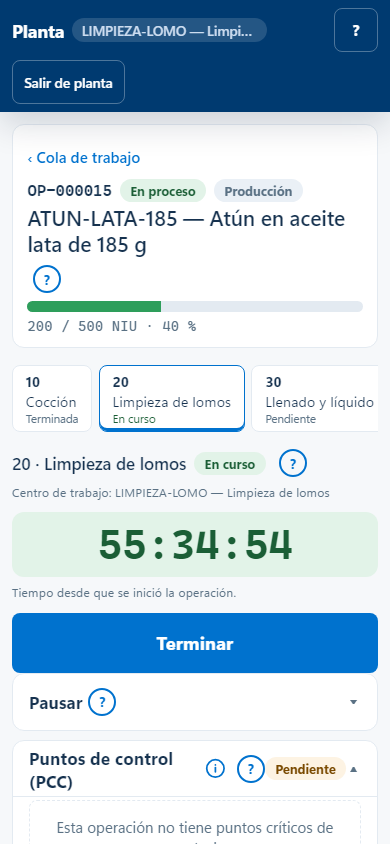
What it looks like: A lightweight web view with large buttons: the work center's queue, the order card with a timer and the panels Consume, Produce, Weigh, Scrap and Downtime. The critical control point (CCP) asks for the values and the signature on screen before moving on.

  • ✓Start, pause with a reason and finish each operation with good and bad quantities.
  • ✓Scan codes with the phone camera or a keyboard-wedge scanner: barcodes, QR and DataMatrix.
  • ✓Manual weighing (gross, tare, net) or imported from the file your scale generates.
  • ✓Critical control point record with a handwritten signature on screen; if it fails, the lot is held.
  • ✓Terminal times flow into the cost sheet as actual labor.
Shop-floor terminal on a phone with the order in progress, the timer and the consume, produce and weigh buttons
04 · My plant

The plant manager sees the whole plant on one screen: where work is running, where something is paused and where a lot is on hold or a check is pending.

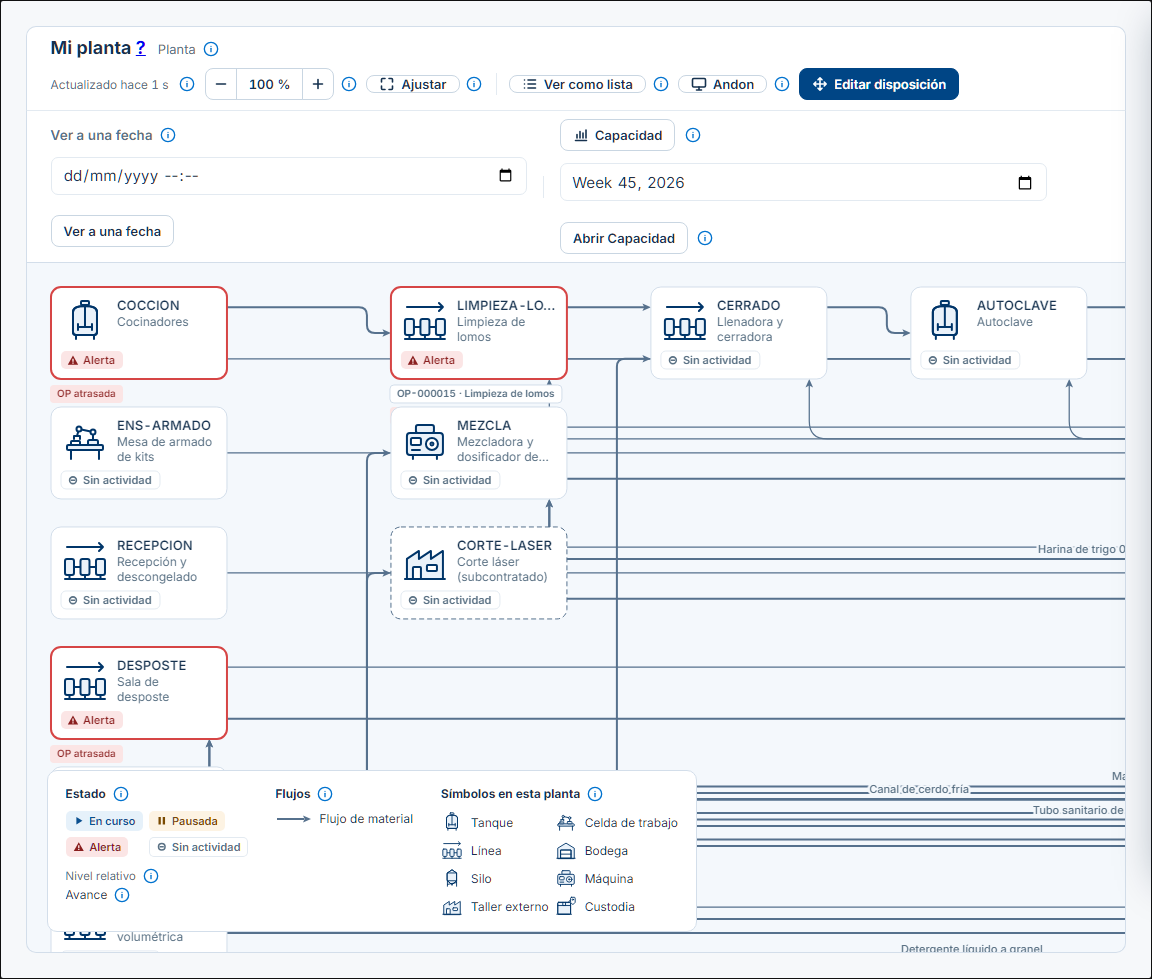
What it looks like: Your plant drawn automatically from its setup —work centers, warehouses, routings and recipes— with the status of orders, lots and quality on top. Each piece of equipment has its own symbol and a status with icon and text; one click opens its details and takes you to the work center queue, the order or the lot. It uses the data the system already records, with nothing to draw by hand.

  • ✓Four clear statuses on every work center: idle, running with its progress, paused with the downtime reason, and alert with the cause.
  • ✓Silos, tanks and warehouses with their relative level and their lots; lots in quarantine, on hold or with pending control points are flagged automatically.
  • ✓Andon mode for the plant TV, with large text and the time, plus an accessible text view with the same information.
My plant: the plant map with the work centers, warehouses and material flow, each item showing its status
05 · Quality: plans, inspections and nonconformances

Nothing leaves without approval: a held lot is neither consumed nor shipped until someone with permission releases it.

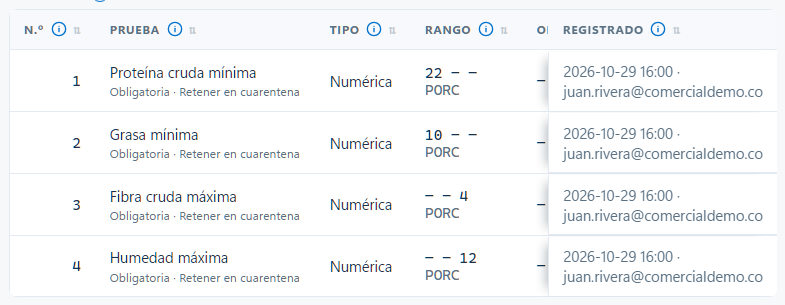
What it looks like: Inspection plans by moment (receipt, in process, finished product, release, periodic) with their tests: numeric with minimum and maximum, pass or fail, text, list, photo and signature. An inspection inbox with a traffic-light indicator; opening one shows the results in red or green, the evidence photos and the buttons to release or reject the lot.

  • ✓Tests flagged as a critical control point (CCP) with an action on failure: hold, block, warn or rework.
  • ✓Automatic hold: the lot moves to quarantine or blocked without anyone having to remember.
  • ✓Certificate of analysis (COA) as a PDF from an approved inspection, filed in the lot's record.
  • ✓Product, process, supplier or customer nonconformances: open → in treatment → closed, with cause and corrective action.
  • ✓INVIMA, NSO and ICA regulatory registrations (the health regulator, the mandatory sanitary notification and the agricultural authority) with validity, suspension and an alert before expiry.
  • ✓Artificial intelligence (AI) reading of the certificate PDF or the lab sheet to fill in the results without typing.
Inspection record with out-of-range results in red and the lot in quarantine
06 · Traceability, recall simulation and labels

From the product to its origin and from the origin to the customers, in seconds, with the recall evidence ready for the health authority.

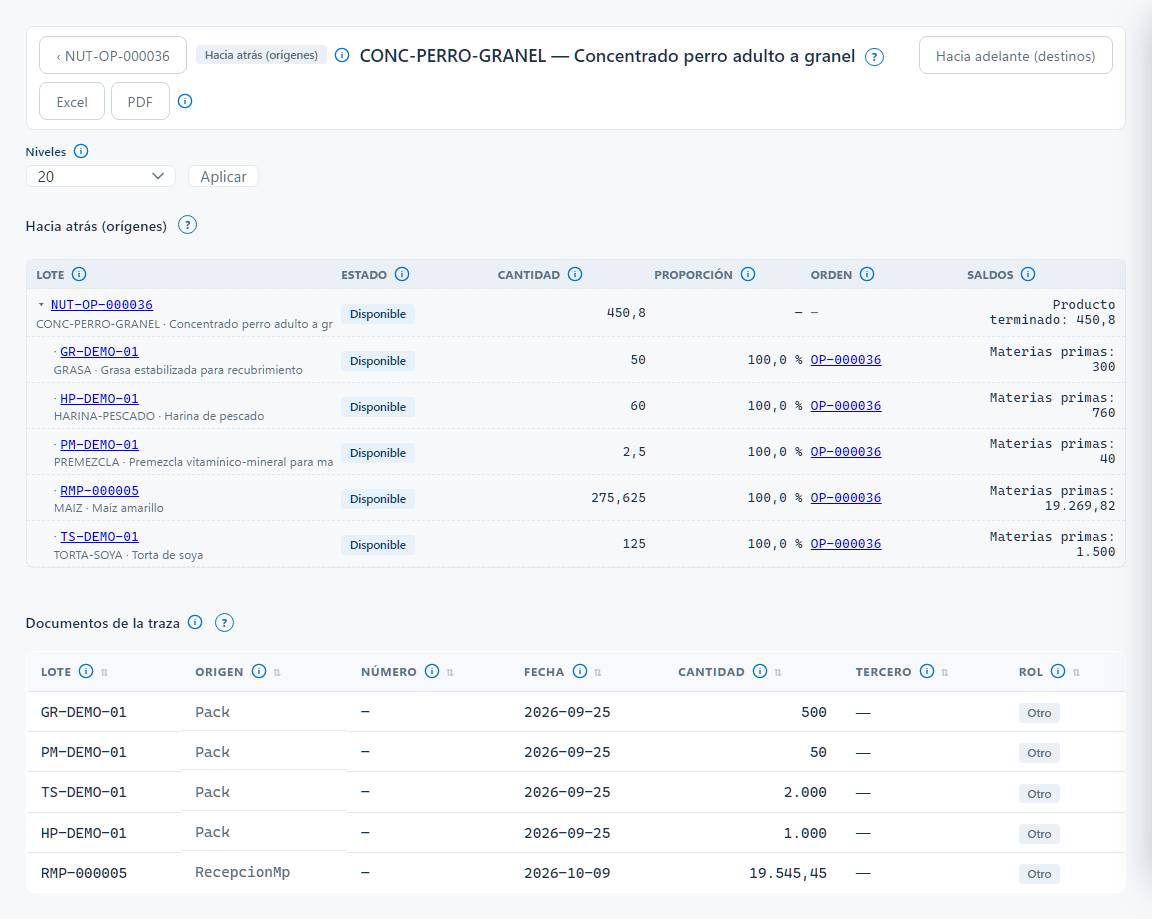
What it looks like: A search by lot or serial. The lot record with its status, inspections, documents and label; the tree backwards to the receipt and the supplier, and forwards to the delivery notes and the customers. The recall simulation shows the lots, quantities per warehouse, customers and documents affected and is saved as evidence in Excel or PDF.

  • ✓Traceability through blends: every child lot keeps the share of each parent ("this bag comes from these three farms, in this proportion").
  • ✓Traceability by serial number: materials, components and spare parts of every machine.
  • ✓Lot record as a PDF with consumptions, operators, inspections and critical control points: the good manufacturing practice (GMP) batch record, ready.
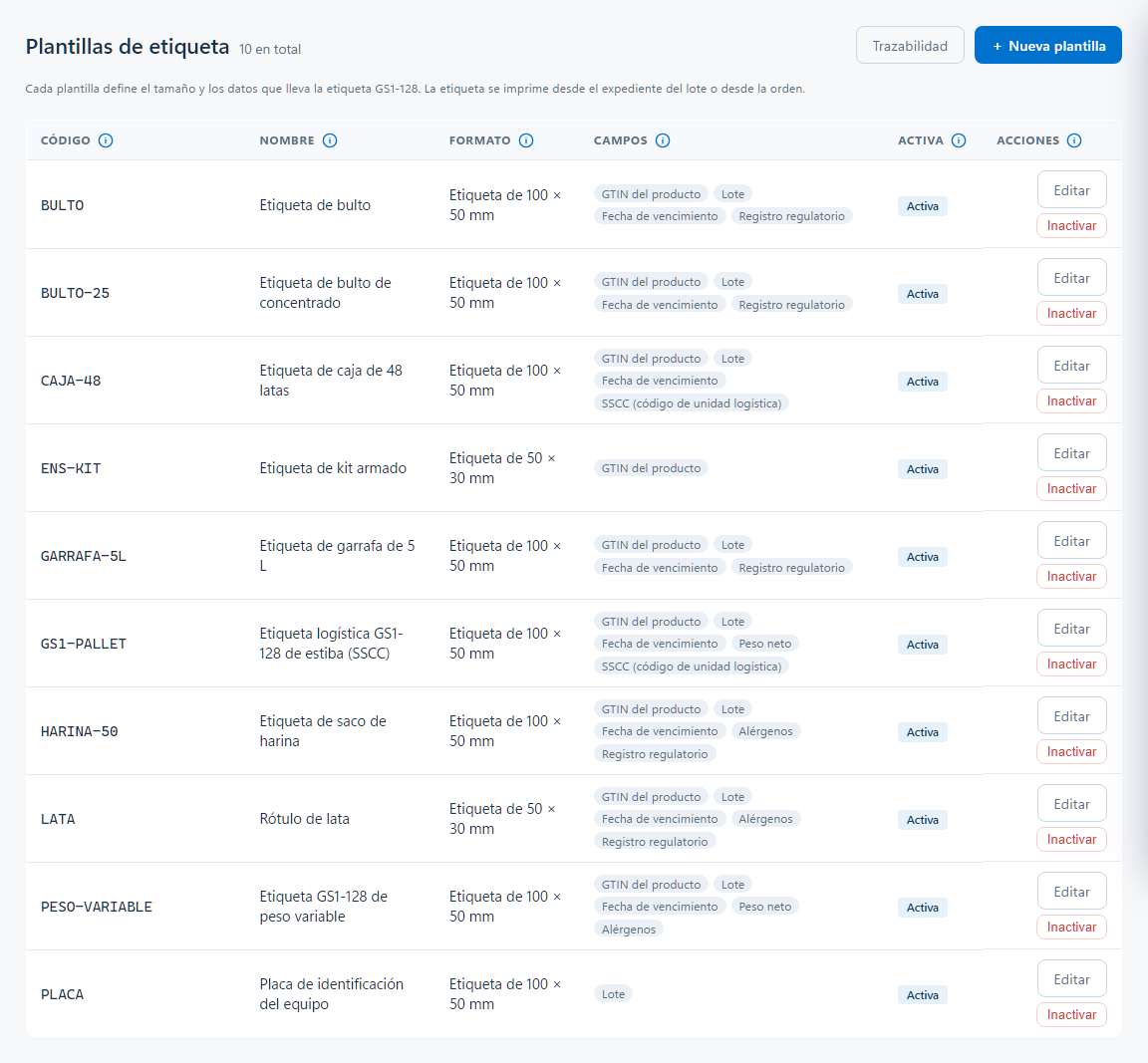
  • ✓GS1-128 barcode labels on 50×30, 100×50 or A4 templates: product, lot, expiry, catch weight, allergens, sanitary registration and the unique case or pallet code (SSCC).
  • ✓Quality visible where you look at inventory: the lot card shows its status, open inspections and record.
Traceability tree of a lot with its parent lots, the originating receipt and the supplier
07 · Raw material receipt and settlement

You pay for what you actually receive, and the settlement is, at the same time, the purchase invoice.

What it looks like: A list of raw material receipts in status Weighed, Analyzed, Settled, Invoiced or Rejected. Inside each one, the sections Weighings, Analysis, Settlement and Lot: gross and tare, the parameters measured with their deduction or bonus, the preview with gross value, deductions, levies, withholding, advances and net, and the lot in quarantine until the lab clears it.

  • ✓Receipt types: bulk (farm), animals (livestock farm), catch (vessel) and input.
  • ✓Quality tables per company or per pack: weight adjustment on a dry basis or direct deduction, in cascade, with deduction, bonus or rejection ranges.
  • ✓Minimum regulated price per product and zone that warns or blocks at settlement; grower levies by percentage, per head or per unit; agricultural withholding; advances applied oldest first.
  • ✓Settling creates and issues the purchase invoice with its levy lines and, for suppliers not required to invoice, the DIAN support document (DIAN is the tax authority).
  • ✓Settlement PDF for the supplier, and premises (farm, livestock farm, vessel) with municipality, ICA registration or vessel registration on the supplier card.
  • ✓What does not meet the standard is rejected with its reason and returned to the supplier without entering inventory.
Settlement section of a raw material receipt with gross value, grower levy, withholding, advance and net payable
08 · Catch weight

The customer pays the actual weight and inventory keeps pieces and kilograms in step.

What it looks like: A stock screen with pieces and kilograms per lot and warehouse, exportable to Excel, and on the delivery note a shipping-weight block where every line is weighed.

  • ✓Product profile with catch weight and tolerance; average weight per piece per lot.
  • ✓GS1-128 barcode label with the actual weight of each piece.
  • ✓The delivery note is weighed line by line; on issue, the quantity is recorded in actual kilograms and the pieces are deducted.
List of label templates, including the catch weight one with a GS1-128 code
09 · Toll manufacturing in both directions

Sell plant capacity or outsource a stage without mixing inventories or losing the cost.

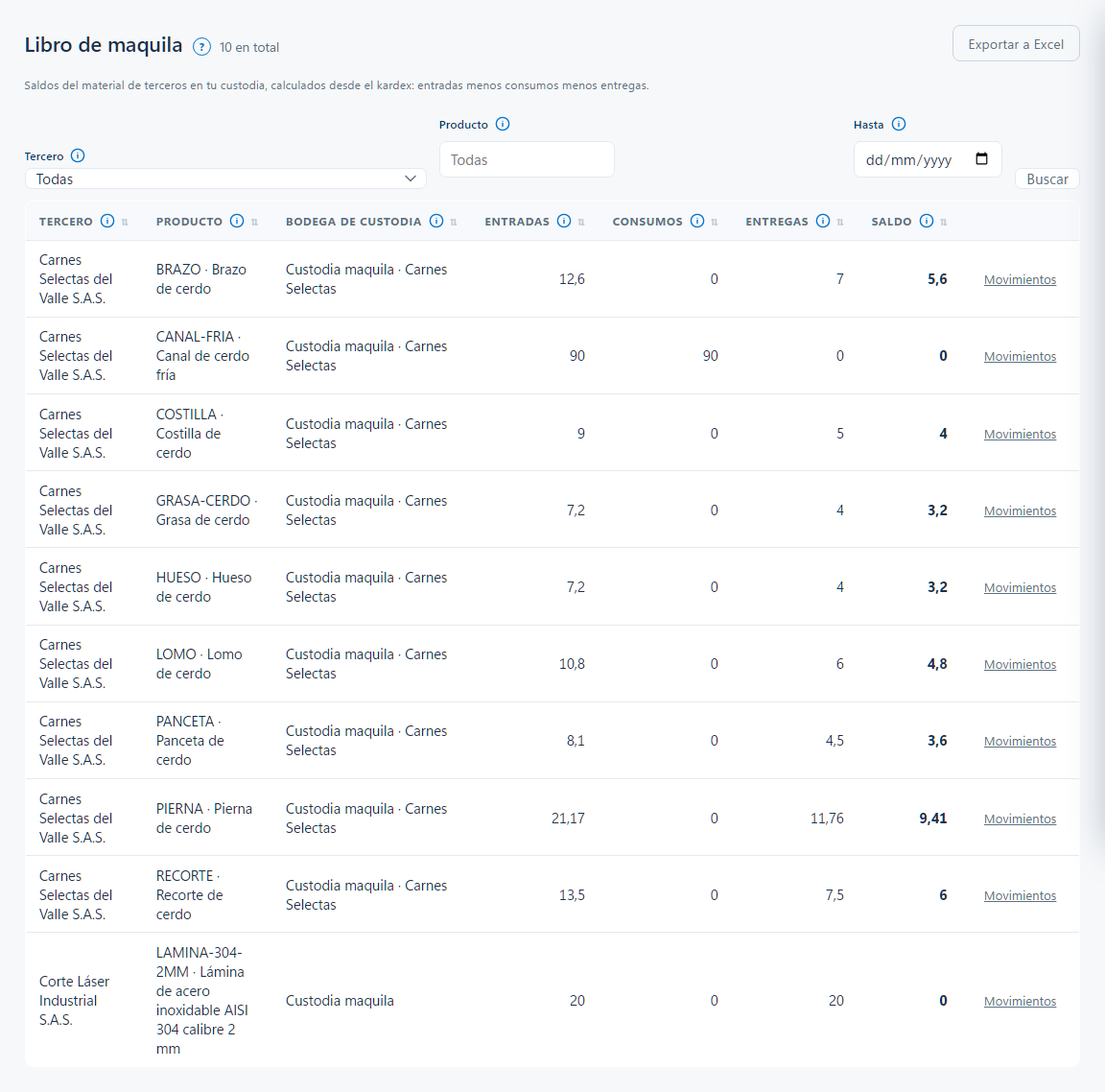
What it looks like: On the order, a Toll block with the buttons Deliver to customer and Invoice service. A toll ledger with the balance per customer or supplier and product (receipts minus consumption minus deliveries), the custody movements and the statement in PDF and Excel.

  • ✓Customer material in a custody warehouse at zero cost; the order cost is only labor, overhead and own inputs.
  • ✓Draft service invoice per kilogram, lot or head, finished and issued in Sales.
  • ✓Subcontracted operation: transfer to the subcontractor's custody, receipt of the semi-finished good and the subcontractor's invoice linked to the order as subcontracting.
  • ✓Balances and movements per customer or supplier, to account to each customer.
Toll ledger with the balances of material in custody per customer and product
10 · Planning: materials, capacity and Gantt

Know what to buy and make, and when; spot overloads weeks ahead; fewer changeovers.

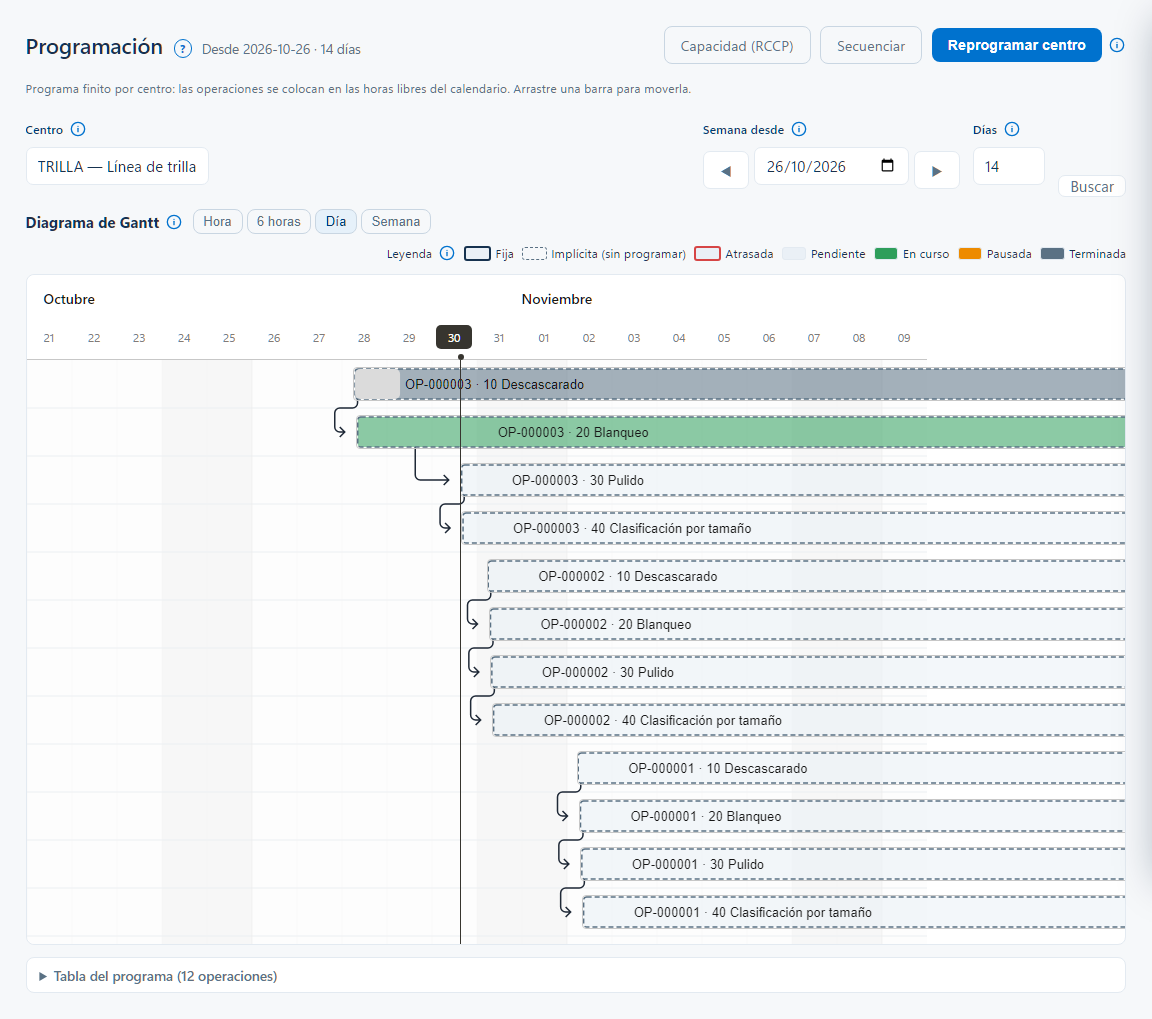
What it looks like: The material requirements planning (MRP) runs with their suggestions to buy, make or transfer, each one with the sales order or forecast behind it and the week-by-week projection of the product. A capacity traffic-light indicator per work center and week. A Gantt where every operation can be dragged to another time or another work center.

  • ✓Demand (open sales orders, forecast, minimums, order components, external demand) against supply (stock, reservations, purchase orders, released orders), across several levels and with lead times.
  • ✓Replenishment rules: minimum and maximum, reorder point, minimum lot and multiple, prefer to buy, make or transfer.
  • ✓Manual, imported or statistical forecast (seasonal with trend, or moving average) in minimum, recommended and maximum scenarios, each with its explanation.
  • ✓Accept in bulk: draft purchase orders grouped by supplier, planned production orders and transfers.
  • ✓Rough-cut capacity planning (RCCP): hours required per work center and week against hours available, with each work center's calendar (holidays and extra shifts).
  • ✓Finite-capacity Gantt, forward or backward, with drag and drop and cascading rescheduling; changeover sequencing that groups similar products using a matrix of changeover minutes per work center.
Plant scheduling Gantt with each work center's operations as draggable bars
11 · Costing and month-end close

Actual cost per order without Excel, in the same ledger, with the accounts your accountant configures.

What it looks like: The order's Costs tab with planned against actual: materials by lot, labor times, overhead applied, subcontracting, abnormal scrap, variances and the accounting vouchers. A screen of rates per work center and month, the standard cost with its tree, and the month-end close with the preview per cost center.

  • ✓Cost sheet per order under IAS 2, the international inventory accounting standard: raw material at lot cost, labor at the position's rate, manufacturing overhead at the work center rate and subcontracting; normal scrap in the cost, abnormal scrap to expense.
  • ✓Actual labor: manual times, in bulk, from the terminal or from time clock punches, with the employee's fully loaded cost.
  • ✓Overhead rates per work center and month at normal capacity: if the plant runs below it, the difference does not inflate the product cost.
  • ✓Output enters at planned cost and is adjusted to actual on close; six accounting paths with a "Production" voucher and ten accounts the accountant can change.
  • ✓Standard cost rolled up from the recipe and routing, comparison between versions and price, usage, yield, rate, efficiency, budget and volume variances, in Excel and PDF.
  • ✓Monthly production close: actual expense per cost center against what was applied, under- or over-absorption to expense, post and reverse.
Costs tab of an order with planned against actual cost, labor, overhead and variances
12 · Reports, indicators and home dashboard

The day's picture for the plant manager and the data for management, on screen, in Excel or in PDF.

What it looks like: A production report center and, on the home page, a widget with orders in process, today's shortages, held lots, yield, critical control points out of range and integration entries awaiting confirmation. The bell notifies when a sanitary registration is about to expire or has expired, a lot has been on hold too many days or a critical control point is unrecorded.

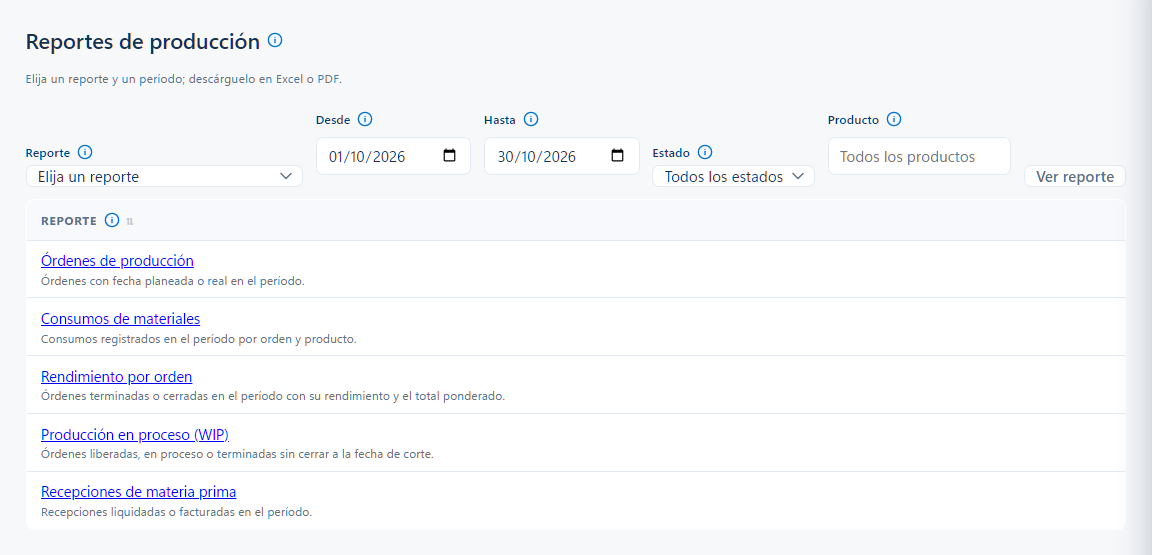
  • ✓Five reports: orders, consumption, yield, work in process (WIP) at a date and receipts; schedulable by email.
  • ✓Twelve entries in the report center: plus variances, traceability, recall, toll manufacturing, material requirements planning (MRP), capacity and packs.
  • ✓Actual against theoretical yield, and outlier orders compared with their group.
  • ✓"Production" dataset for the report builder: quantities, yield, hours, costs and variances of closed orders.
Production report center with the orders, consumption, yield, work in process and receipts reports
13 · Sector packs

Your industry in one click, with no programming: products, recipes, quality, labels, reports and terminology with the Colombian regulations.

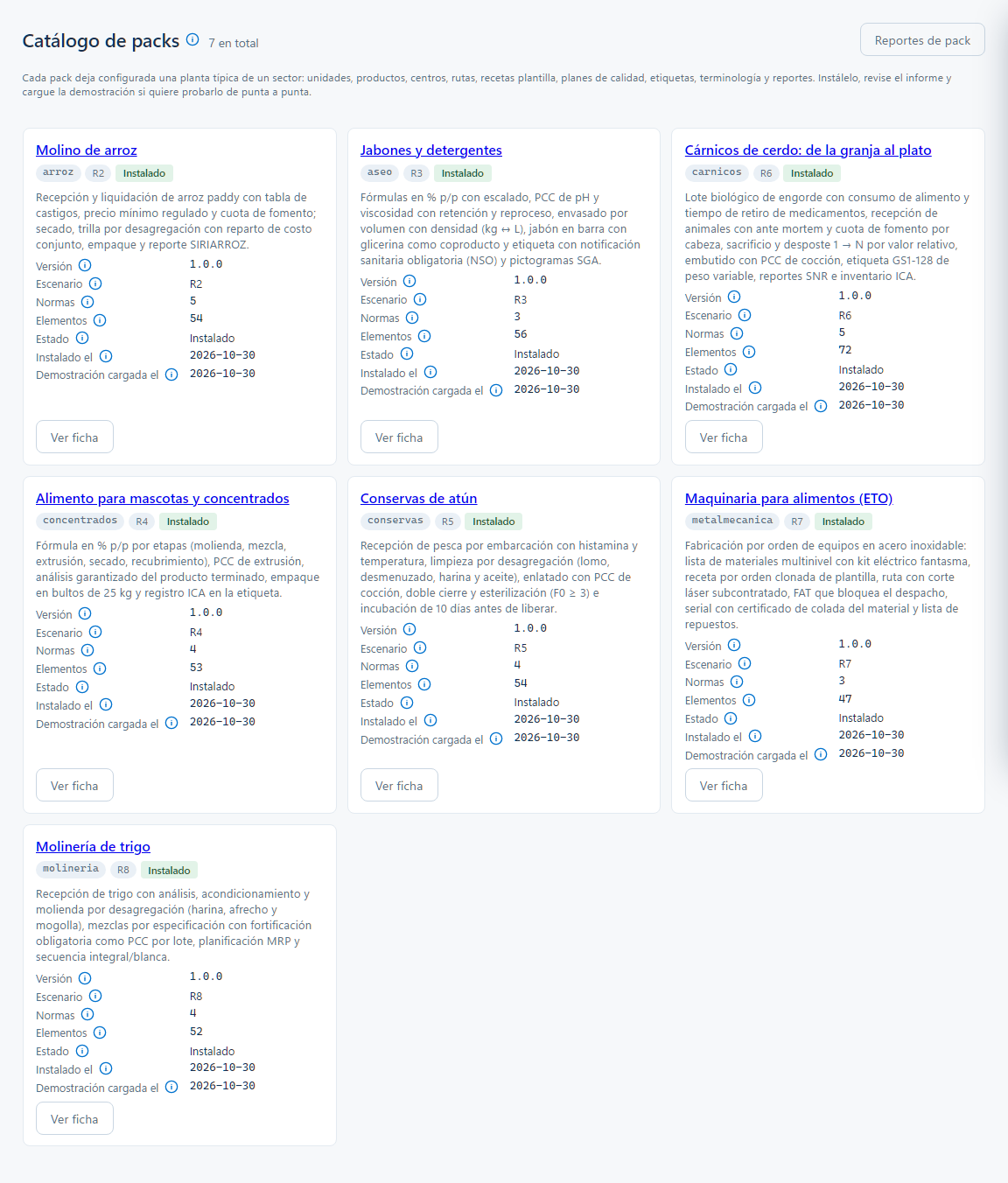
What it looks like: A catalog of seven packs, each with its card: Summary, Items, Regulations, Install report, Demo and Help. On install, the report says what it created, what it left unchanged and what it skipped because your company had edited it.

  • ✓Rice mill, wheat milling, animal feed and pet food, canned tuna, soaps and detergents, pork processing and food machinery.
  • ✓Each pack installs units, allergens, categories, products, parameters and quality tables, minimum prices, levies, work centers, routings, recipes, inspection plans, labels, reasons, rules, changeovers, terminology, reports and help.
  • ✓Installing twice duplicates nothing and never overwrites what the company edited; uninstalling deletes no data.
  • ✓Pack demo data: customers and suppliers, premises, stock, registrations and a sample forecast.
  • ✓Reports named after the regulation: SIRIARROZ (the rice-purchase report), SNR (the levy report), fortification record, critical control point record per lot and ICA inventory (ICA is Colombia's agricultural authority), in Excel and PDF, ready to upload wherever they are due.
Sector pack catalog with the seven packs installed
14 · Engineer-to-order (ETO)

Custom manufacturing with a recipe per order, controlled changes, as-built per serial and spare parts.

What it looks like: On the order, an Own recipe tab with the differences against the template, an engineering change order (ECO) dialog with line-by-line differences, and the Serials tab with the as-built tree of each machine: sheet lots, motor and components. A spare parts catalog per serial with a PDF.

  • ✓Own recipe cloned from the template, editable while the order is planned.
  • ✓Engineering change with a reason, applied to the released order.
  • ✓As-built frozen on close, with a fingerprint, as a PDF; spare parts list of the delivered machine.
  • ✓Cutting program: import the report from your nesting software and the system prorates sheet and minutes across orders.
  • ✓Planned and actual cost on the project card and comparison with the quote by cost category.
Recipe tab of an engineer-to-order production order with the differences against the template recipe
15 · Automation and assistant

The plant alerts and acts on its own: flows that react to what happens in production, and an assistant that answers in plain language.

What it looks like: A flow editor with ready-made production templates and an architect you ask for the flow in plain language. The artificial intelligence (AI) assistant answers questions like "which lots are on hold?" with links to the orders.

  • ✓Ten business events, seven time-based alerts and five integration events as triggers.
  • ✓Nineteen actions that operate the plant with the user's permissions: create, release and close orders, consume, produce, weigh, hold lots, open inspections, run material requirements planning (MRP) and more.
  • ✓Eighteen ready-made templates, for example "Lot held → quality task" or "Sales order confirmed → planned order".
  • ✓Five assistant questions: production summary, shortages, held lots, yield and trace a lot.
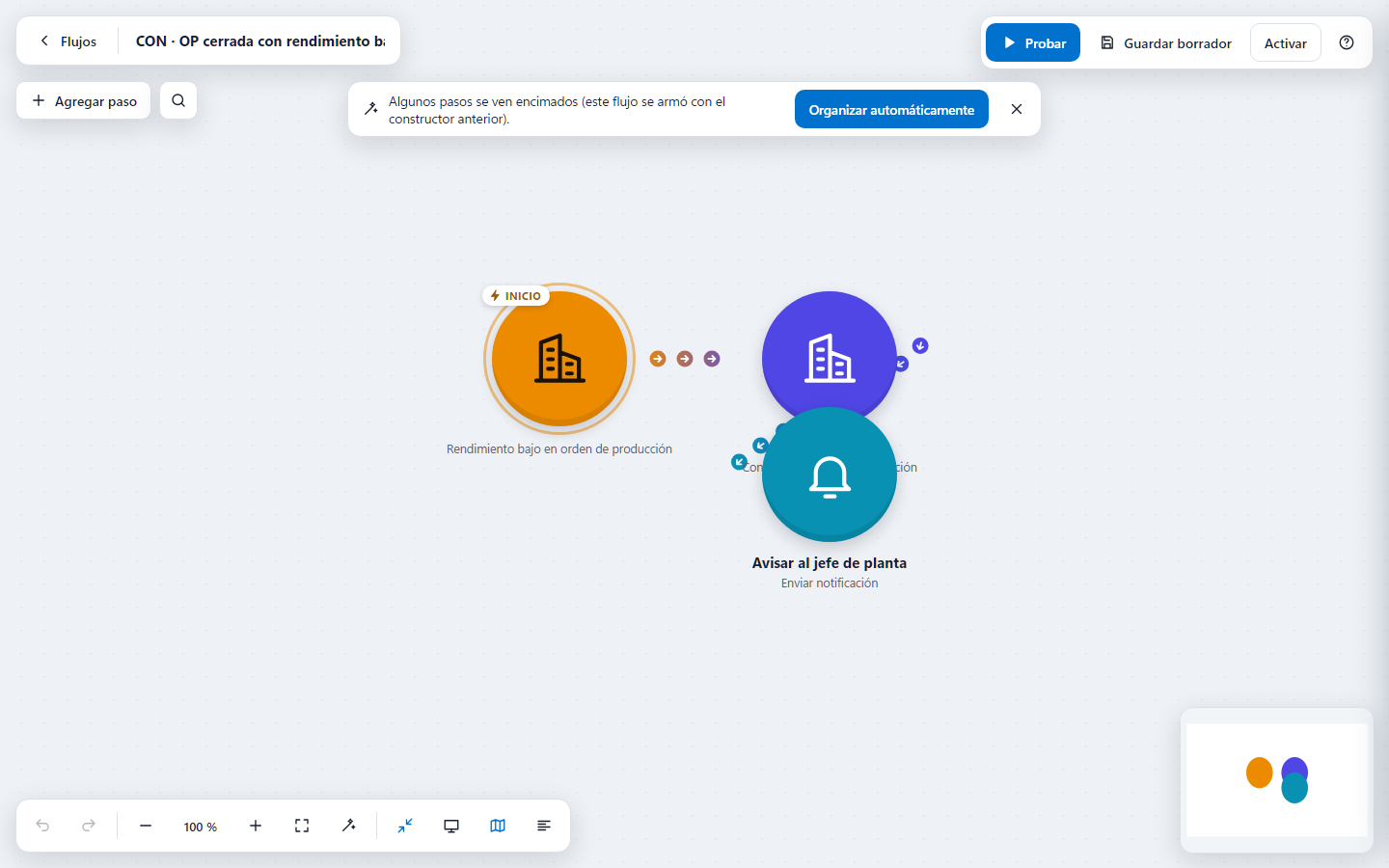
Automation flow editor with a production flow that holds the lot and alerts when a critical control point goes out of range

Production, connected with all of OpenBusiness

Materials, people, sales orders and costs in one operation. Nothing is typed twice: what happens on the shop floor lands instantly in inventory, purchasing, sales, accounting and payroll.

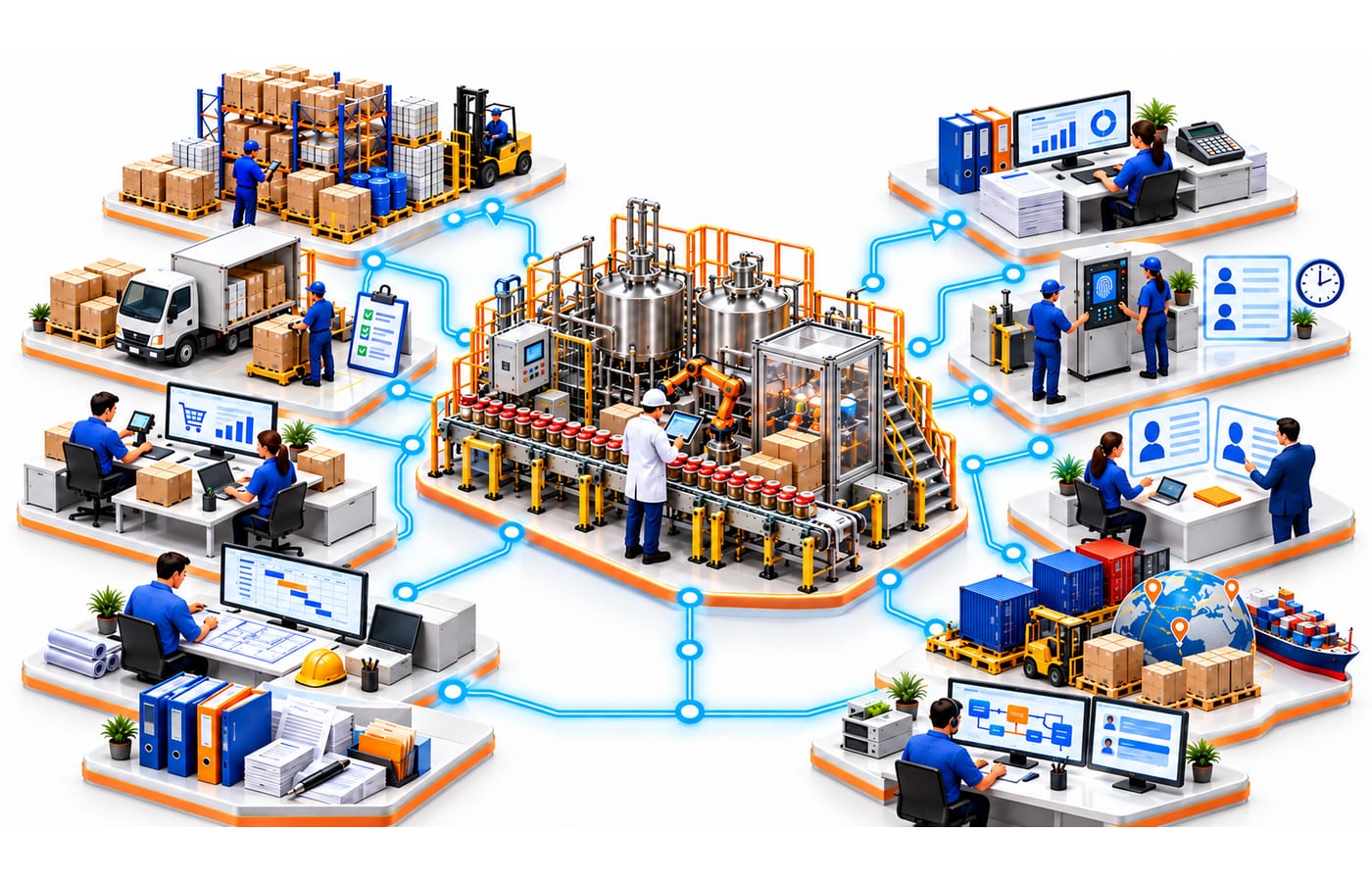
Diagram with Production at the center connected to inventory, purchasing, sales, accounting, payroll, projects, foreign trade, document management and automation
  • InventoryReceipts of output, co-products, toll manufacturing and rework; issues for consumption and scrap; cost adjustment on close. In return: stock, lots, serials, first-expired, first-out (FEFO), reservations per order, quarantine and custody warehouses, and the quality strip on the lot card.
  • PurchasingDraft purchase orders from material requirements planning (MRP), grouped by supplier and tagged with the run. Settling a receipt creates the purchase invoice. The subcontractor's invoice is linked to the order as subcontracting.
  • Sales and invoicingOpen sales orders are demand for material requirements planning, and from the issued sales order you create the production orders for what is still to be made. The delivery note is weighed for catch weight, the toll service invoice starts as a draft and traceability reaches the customer through the delivery note.
  • AccountingSix accounting paths with a "Production" voucher (consumption, labor and overhead, subcontracting, completion, settlement and month-end close) and ten accounts the accountant can change. Actual expenses per cost center feed the overhead close.
  • Third partiesSuppliers, toll customers and subcontractors. The third-party card shows their premises: farms with municipality, rural district and ICA registration (ICA is Colombia's agricultural authority); livestock farms with premises registration; vessels with registration number and flag.
  • Payroll and attendanceClock-in and clock-out punches flow into the order as times at the position's rate and the employee's fully loaded cost. Payroll expense per cost center enters the month's overhead close.
  • ProjectsOrders that originate in a project and, on the project card, the card with the planned and actual cost of its orders and the button to create a new one.
  • Foreign tradeDischarge of imported raw materials under a special customs regime using the actual consumption of the closed order, and the regime's bill of materials created from the recipe.
  • Document managementLot record with supplier certificates, certificates of analysis, process and sanitary records; electronic signature of inspections.
  • AutomationTwenty-two triggers, nineteen actions, nine conditions and eighteen production templates. Flows react to the plant and also operate it.
  • Assistant, reports and approvalsArtificial intelligence (AI) assistant with five production questions, a dataset for the report builder, a home widget and four amount-based approvals: release order, close with deviation, settle receipt and release held lot.

Production with the business management system you already use

If your accounting, invoicing, receivables and payroll live in another business management system (ERP) and you do not want to replace it, use OpenBusiness for the plant only. Costing is the same as in integrated mode; the difference is where the accounting records go.

  1. You keep your system

    SAP Business One, Siesa, Ofima, Softland, Business Central or Odoo keep running accounting, invoicing, receivables and payroll. OpenBusiness runs recipes, orders, shop floor, quality, raw material receipt, planning and costing.

  2. Every costing step leaves an accounting record with your accounts

    Consumption, labor and overhead, subcontracting, completion, settlement and month-end close generate accounting records as data, with the account, cost center, customer or supplier and product in your system's codes, taken from the account map and the external references.

  3. Your system sends us the demand

    Your sales orders arrive as demand for material requirements planning (MRP) without creating sales orders here; so do confirmed purchase orders and, if you prefer, the average cost to value inventory.

  4. We hand you the plant documents

    The accounting records, the receipt settlement PDF, the cost sheet of each order and the production order for the shop floor.

  5. Nothing stops the plant

    An accounting record with an unmapped account stays in the queue with its error, visible and correctable, and production carries on. From the queue you can view the content, resend one or several, confirm by hand with the reference, reject or cancel.

  6. Your system confirms or rejects

    Every accounting record has a status: pending, sent, confirmed, rejected or canceled, with the number of attempts and the reference your system returned. If it is rejected (for example because the period was closed there), you fix it and resend.

  7. At month end, reconciliation

    The period reconciliation matches what was sent against what was confirmed by accounting key, shows the differences and exports to Excel. The period's accounting records also export to CSV or Excel, one row per line.

  8. Your products, customers and suppliers come in through a connection to your system

    Your system creates or updates products and customers and suppliers through a connection to your system, with its own code, and they stay linked to their references: nothing is keyed in twice. At month end it also sends the actual labor and factory overhead per cost center.

  9. Your integrator builds the connection

    Connect your system through authorized access, secure file exchange, data tables or Excel files by email. Automation templates, instructions for matching data and controls for detecting errors and resending information are available. The connection requires setup; there is no ready-made connector for every brand.

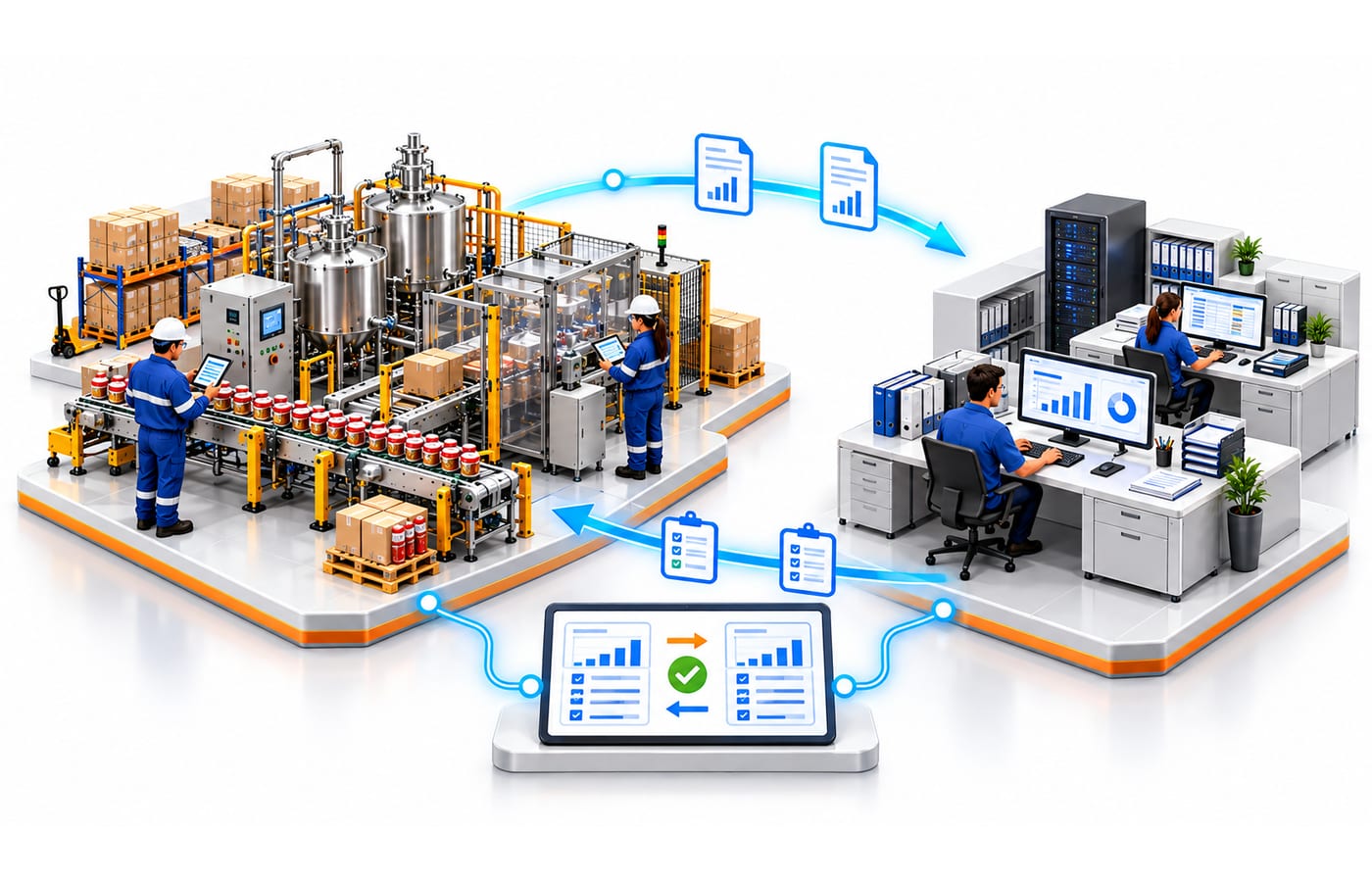
Diagram of the plant in OpenBusiness sending accounting records to another business management system and receiving sales orders and purchase orders from it

Example: a wheat milling run generates four accounting records (consumption, labor and overhead, completion and settlement) that the other system confirms with its number; the settlement of a wheat lot, rejected because the accounting period was locked, is fixed there and resent from the queue. This mode does not issue electronic invoices or support documents and does not synchronize the other system's inventory: that remains the job of your business management system.

The plant alerts and acts on its own

Production is connected in both directions with Automation and with the OpenBusiness artificial intelligence (AI) assistant: what happens on the shop floor triggers flows, and flows operate the plant with the user's permissions.

What triggers a flow

  • Order released, finished, closed or with low yield.
  • Lot held or released; critical control point out of range.
  • Material requirements planning (MRP) suggestions ready; receipt settled; sanitary registration about to expire.
  • Time-based alerts: late order, lot about to expire, critical control point or inspection unrecorded, suggestions unattended, overhead close undone, registration expired.
  • Integration: accounting record generated or rejected, demand or valuation received, overdue pending items.

What a flow can do

  • Create, release, start, finish and close orders; consume, produce and weigh.
  • Change a lot's status, create an inspection and record its results.
  • Run material requirements planning and accept its suggestions; consolidate lots.
  • Install a pack, import a file, query data, resend and confirm accounting records.
  • Nine conditions: stock for the order, lot in a status, low yield, late order, inspection undone, critical control point out of range, registration in force, capacity exceeded, suggestions unattended.

Ready-made templates

  • "Lot held → quality task" and "Critical control point out of range → hold lot and notify".
  • "Sales order confirmed → planned order" and "Lab result → release lot".
  • "Receipt settled → email the supplier the settlement PDF".
  • "Regulatory registration about to expire → alert 60 days ahead" and "Late order → notify and reschedule".
  • "Planning suggestions → purchase order under an amount" and "Overhead close → reminder to the accountant", plus five templates for sending accounting records to your business management system (ERP).

Flow architect

  • You describe the flow in plain language ("when a lot is held, notify quality and open a task") and the architect proposes the valid production nodes.
  • Every action respects the permissions of whoever activates the flow.

Assistant and document reading

  • Five plain-language questions: production summary, shortages, held lots, yield and trace a lot, with links to the orders.
  • Reading of the certificate of analysis PDF or the lab sheet to fill in the inspection or receipt results; requires artificial intelligence enabled and a provider key.
  • Statistical forecast (seasonal with trend, or moving average) in three scenarios, each with its explanation.
Flow editor with a production template that reacts to a held lot

Learn and get certified inside the product

Production brings its courses with it. No need to leave for a manual: every screen has its help, every topic its guided lesson and every role its certificate.

  • ✓Eleven learning tracks: orientation, master data, recipes, orders, shop floor, quality, receipt, planning, costs, sectors and platform.
  • ✓Step-by-step guided lessons with the what, how and why, and "Meet the screen" micro-lessons; one lesson per pack walks through its full scenario.
  • ✓"Do it for me": the assistant performs the step on the real screen while you watch.
  • ✓Help on every screen with the "?" button, and an explanation of every field with an example and what happens if it is left empty.
  • ✓Verifiable certificate per role, on a public page with its code.
  • ✓Everything in Spanish and English.

Roles

  • Operator
  • Planner
  • Plant manager
  • Quality
  • Costing
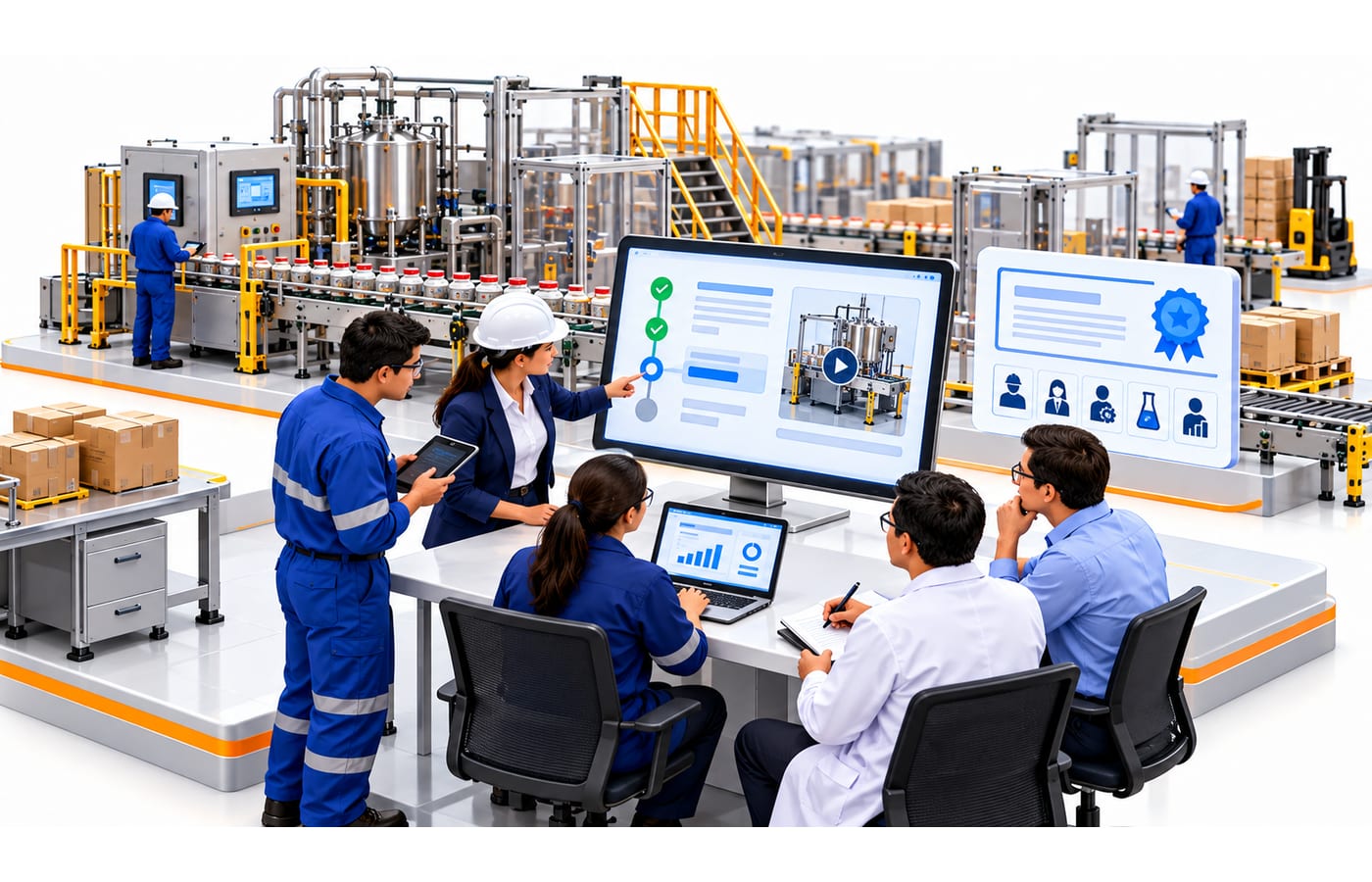
Screen of a guided Production lesson with the assistant pointing at the next step on the real screen

Control, permissions and audit

A plant needs to know who did what, when and with what permission. Production guarantees it without slowing the operation down.

  • ✓Nine permissions: view, edit, operate, plan, release quality, cost, close, administer and integrate. That is how operator, plant manager, quality, costing and integrator are kept apart.
  • ✓Switched on by feature: every capability of the module starts off and is enabled separately; with everything off, the system is exactly as it was before.
  • ✓Four optional amount-based approvals: release order, close order with deviation, settle receipt and release held lot. Example: if the actual cost drifts more than COP $100,000 from planned, closing the order asks for sign-off.
  • ✓Change history protected against tampering with 29 event types: every change to the order is kept with date and user, and a wrong order is canceled with a reason and reversed instead of being deleted.
  • ✓Recipe and routing versions with a history of who approved and when; critical control points with an on-screen signature or electronic signature.
  • ✓Critical forms protected against double submission: a double click does not duplicate a consumption.
  • ✓Connect other systems with authorized access, separate permissions to view or change data and protection against duplicate records. Includes instructions for the team setting up the connection.
  • ✓A held lot that cannot be consumed or shipped until someone with the release quality permission releases it.

How it gets up and running

Production is designed to start small and grow without migrating. This is what lets a small or mid-sized plant have it running without a long project.

  • ✓Install your sector's pack: products, units, work centers, routings, recipes, quality tables, inspection plans, labels, rules, reports and terminology are ready in one click.
  • ✓Try it with the demo data: a sample company with the seven packs plus assemblies, 46 orders in every status, receipts, flows and recipes, to see every screen with real data.
  • ✓Import from Excel what you keep in spreadsheets: units, recipes, recipe lines, work centers, replenishment rules, forecast, cutting program and account map, with numbered templates.
  • ✓Migrate your assemblies: if you build kits with the inventory assemblies module, they convert into recipes without deleting anything.
  • ✓Use your people's terminology: "Formula", "Cut sheet", "Bill of materials" or "Silo lot" instead of the generic names, per company or per pack.
  • ✓Simple mode: hides the advanced fields for companies that only assemble with fixed quantities.
  • ✓Make the most of the scale you already have at the gatehouse: configure the format of the file it generates and test it; no expensive integration needed.
  • ✓Switch on in stages: first recipes and orders, then the shop-floor terminal, and once the operation is stable, costing, quality, receipt or planning.

Seven Colombian sector packs

Each pack leaves the plant ready with its products, recipes, critical control points, labels, reports and terminology, and with the regulations that apply to it. Open your sector's page to see the process step by step.

Rice mill

Paddy intake with a quality deduction table, minimum regulated price per zone and grower levy; drying, silo consolidation, milling with co-products and by-products, packaging and the weekly purchase report for SIRIARROZ, the rice-purchase report.

See the industry →

Wheat milling

Wheat intake with moisture, protein, test weight and falling number analysis; tempering, milling into flour, bran and shorts; blends to specification with fortification as a critical control point and a record per lot; whole-wheat and white sequencing.

See the industry →

Animal feed and pet food

Percentage formula by stage (grinding, mixing, extrusion, drying, coating), extrusion critical control point, guaranteed analysis of the finished product, packaging in 25 kg bags and ICA registration (Colombia's agricultural authority) on the label.

See the industry →

Canned tuna

Catch intake by vessel with histamine and temperature, cleaning into loin, flakes, meal and oil, canning with critical control points for cooking, double seam and sterilization, incubation before release and a critical control point record per lot.

See the industry →

Soaps and detergents

Percentage formulas with scaling, pH and viscosity control with hold and rework, filling by volume using density, bar soap with glycerin as a co-product and a label with the mandatory sanitary notification (NSO) linked to the formula version.

See the industry →

Pork processing

Finishing as a biological lot with withdrawal period, animal intake with ante-mortem inspection and a per-head levy, slaughter and cutting with cost by relative sales value, chorizo with controlled cooking, catch weight label and the SNR levy report and ICA animal inventory.

See the industry →

Food machinery

Engineer-to-order stainless steel equipment: multi-level bill of materials with a phantom electrical kit, recipe per order, subcontracted laser cutting, factory acceptance tests that block shipping, serial with mill certificate and spare parts list.

See the industry →

Frequently asked questions

How much does Production cost?

The price depends on your OpenBusiness plan and the size of your operation. Sign up to try it with the demo data, or talk to sales and we will prepare a proposal for your plant.

Do I need to use all of OpenBusiness to have Production?

No. If your accounting, invoicing and payroll live in another business management system (ERP), you can use OpenBusiness for the plant only: costing generates accounting records with your system's accounts, your system confirms or rejects them and the reconciliation balances the month. The connection goes through a connection to other systems, files or Excel by email, and your integrator sets it up.

Does it connect to my scale?

Production reads the file your scale software generates: you configure the column map, test it, and from then on you import weighings without typing. You can also record gross and tare by hand.

What languages is it available in?

The product is available in Spanish and English, including the screens, the help and the courses.

How do I train my people?

Inside the product: eleven learning tracks with step-by-step guided lessons, micro-lessons per screen, the "Do it for me" mode that performs the step on the real screen, help on every field and verifiable certificates for the operator, planner, plant manager, quality and costing roles.

How long does implementation take?

It depends on how many areas you switch on. Your sector's pack leaves products, recipes, quality, labels and reports ready in one click; the demo data shows you every screen from day one; the Excel importers bring in what you keep in spreadsheets; and features are switched on in stages, starting with recipes and orders.

How does it get along with accounting?

Costing follows IAS 2, the international inventory accounting standard: raw material at lot cost, actual labor, overhead at normal capacity and abnormal scrap to expense. Every step leaves a "Production" voucher with ten accounts your accountant can change, and the month-end close compares what was applied with the actual expense per cost center.

How complete is the traceability?

Backwards to the receipt, the supplier and the farm, livestock farm or vessel; forwards to the delivery notes and the customers. It passes through blends in silos and tanks keeping the share of each parent lot, and it also works by serial number. The recall simulation shows the lots, quantities, customers and documents affected and is saved in Excel or PDF as evidence.

Does it work for my industry if it is not among the seven packs?

The twelve production models cover formulas, breakdown, assembly, packaging, rework, growth, consolidation, toll manufacturing, make-to-order, catch weight and raw material receipt. Cosmetics, paints, beverages, dairy, coffee, poultry, furniture or structures are configured with the same engine, without a pack, using your company's terminology.

Does it work on a phone?

The shop-floor terminal is a lightweight web view with large buttons, built for the operator's phone or tablet: work queue, timer, barcode scanning with the camera, consume, produce, weigh, downtime and the critical control point signature.

How do I handle lots that get blended in a silo or tank?

Consolidation merges several lots into a new one and keeps the share of each parent; split does the opposite. The child lot inherits the earliest expiry, the allergens and the most restrictive status, and traceability keeps working through the blend.

Can I process customer material and also send work out to a subcontractor?

Yes, in both directions. Customer material stays in custody at zero cost and only the service is invoiced; what you send to a subcontractor leaves into their custody, comes back as a semi-finished good and the subcontractor's invoice enters the order cost. The toll ledger keeps the balances per customer or supplier.

Are the SIRIARROZ, SNR or ICA reports sent on their own?

The system generates the report with the columns each regulation requires (SIRIARROZ is the rice-purchase report, SNR the levy report and ICA Colombia's agricultural authority), in Excel or PDF, for you to upload to the corresponding platform. You do the sending.

What if an order was created wrong?

You cancel it with a reason and the system reverses consumption, output, reservations and accounting. Nothing is deleted: the log keeps every event with its date and user.

Can I integrate other plant systems?

The main plant operations can connect to another system: view recipes and orders, create orders, record consumption and production, weigh, record inspections, view planning suggestions and trace a lot. Your other system can also register products, customers and suppliers and send the month’s actual labor and factory costs. You decide who can view or change data; the documentation guides the team setting up the connection.

How do I try it before deciding?

Sign up and activate the demo data: a sample company with the seven packs and assemblies, and a second company, Planta Norte, that produces with another business management system, with orders in every status, settled receipts, held lots, flows and a month of history.

What sets Production apart

Differentiators verified in the product, written without figures we cannot stand behind.

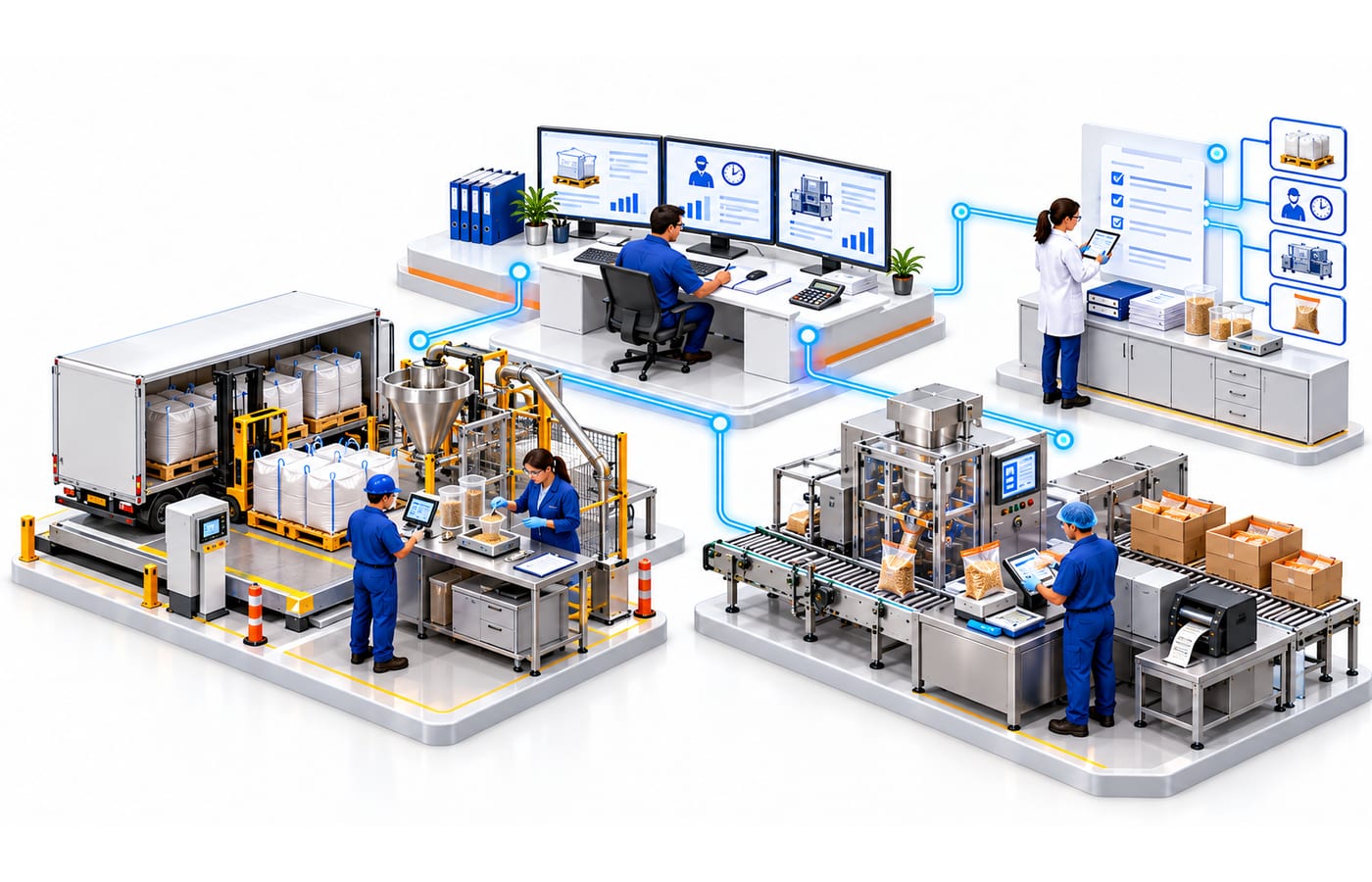
Receiving and quality, actual cost, traceability and variable-weight packing connected on one platform
Agricultural, livestock and fish intake with settlement

Scale, quality table with deductions, minimum regulated price, grower levy, withholding and advances, and a settlement that ends in the purchase invoice. The SIRIARROZ (rice-purchase) and SNR (levy) reports come out ready to upload.

IAS 2 costing in the same ledger

Labor from attendance and payroll, overhead at normal capacity with under- or over-absorption to expense, co-products by relative sales value or net realizable value and six accounting paths of its own, under IAS 2, the international inventory accounting standard.

Catch weight from production to shipping

Pieces and kilograms per lot, a label with the actual weight and a weighed delivery note: the customer pays for what they receive.

Regulatory record of the lot

Signed critical control points, automatic hold, certificate of analysis, INVIMA, NSO and ICA registrations (the health regulator, the mandatory sanitary notification and the agricultural authority) linked to the formula version, and a recall simulation saved as evidence.

Seven Colombian packs with no programming

Regulations, terminology, quality tables, levies and reports of each sector ready in one click; other sectors are configured with the same engine.

Toll manufacturing in both directions with a balance ledger

Customer material in custody at zero cost and your own material held by the subcontractor, with a statement per customer or supplier.

Finite-capacity Gantt and changeover sequencing

Drag and drop with cascading rescheduling, a calendar per work center and a matrix of changeover minutes that groups similar products.

Production with the business management system you already have

Accounting records with your system's accounts, a queue, reconciliation and a connection to other systems or files; the plant does not stop over a badly mapped entry.

Two-way automation and assistant

The plant triggers flows and flows operate the plant; the artificial intelligence (AI) assistant answers questions and reads lab certificates.

Complete help, demo and certificates

An explanation of every field, demo data with eight sectors in one company and a second company that produces with another business management system and courses with a certificate per role inside the product. The connection to other systems is included in the platform.

Glossary

OP
Production order: the document that says what is made, with which recipe and routing, and that accumulates consumption, output, times and costs.
RMP
Raw material receipt: the gatehouse and lab document that weighs, analyzes and settles the harvest, animals or catch.
MRP
Material requirements planning: what to buy or make and when, from sales orders, forecast, stock, reservations and rules.
RCCP
Rough-cut capacity planning: hours required against hours available per work center and week, with a traffic-light indicator.
FEFO
First-expired, first-out: the rule the system uses to suggest which lot to consume.
CCP
Critical control point: a test that, if it fails, puts the product at risk; it is recorded and signed in the moment.
COA
Certificate of analysis: the PDF with a lot's lab results, handed to the customer.
IAS 2
International accounting standard for inventories: how output is valued, what goes to cost and what goes to expense.
Overhead
Manufacturing overhead: energy, machines and plant expenses applied to each order at a rate per work center.
NRV
Net realizable value: selling price minus the costs to sell; used to value by-products.
WIP
Work in process: the order's "bucket" where materials, labor and overhead accumulate until completion.
ETO / MTO
Engineer-to-order / make-to-order: the order is created from the sales order or the project and can have its own recipe.
ECO
Engineering change order: a new version of the order's recipe with a reason and line-by-line differences.
BOM
Bill of materials: the recipe of an assembly, with its components, subassemblies and quantities.
GS1-128, GTIN, SSCC
Logistics barcode; 14-digit product code; unique code of each case or pallet.
INVIMA, NSO, ICA
Health regulator; mandatory sanitary notification (cleaning products and cosmetics); agricultural authority.

Let's talk about your production

Try OpenBusiness with your sector's demo data, download the brochure or tell us what your plant looks like and we will show you how it would look with Production. One manufacturing platform. Any industry.

✓ Recipes, formulas and versions
✓ Production orders and their life cycle
✓ Shop-floor terminal
✓ My plant