 OpenBusiness by Tradebook
Know who needs training
Check current and pending training by worker and course. Filter by role, process or site to prioritize the next action.
Quote, invoice with DIAN, sell online and chat on WhatsApp from a single customer record.
SCServices and ContractsOperations manager · Deliver and billQuote with margin, run orders at actual cost, sign contracts and serve in the field.
ABSupply and ProductionPurchasing / logistics / plant · Source and produceManage purchasing, inventory, imports and production, with lot tracking, quality control and actual cost per order.
FIFinanceAccounting / financial management · Balance the booksEvery operation is reflected in your accounts. Manage taxes, banks, assets and period closing.
PEPeopleHuman resources · Care for the teamElectronic payroll and social security contributions, signed uniform deliveries and tracking of valid courses and certificates.
PLPlatformIT / management · Included with every purchaseAutomate tasks, ask your AI assistant, connect other applications and control access and changes.
Staffing contracts by site, special services, supplies at cost, AIU and per-worker annex.
SCPEABPrivate securityStaff per post with surcharges, uniforms and PPE with signed records, training with expiry dates.
SCPEFITemporary staffing and outsourcingWorkers on assignment, pre-invoice per worker, electronic payroll and PILA costed to the client.
PESCFIDistribution and consumer goodsRoutes and collections with Trade360, inventory movement records per warehouse, filling and packing, catch weight, batch labels.
COABSCRetail, stores and restaurantsPoint of sale with electronic POS document, online store, marketplaces and inventory.
COABFIImporters and trading companiesImport and export checklists, import declaration costs included in inventory and foreign currency operations.
ABFICOManufacturing and industryRecipes and bills of materials, production orders, actual cost, make-to-order, purchasing and batches.
ABPEFITechnical service and maintenanceField work orders with forms and evidence, support with agreed response times and spare parts tracked in inventory.
SCABCOGovernment contractors and suppliersContracts with Colombia’s SECOP II procurement platform, adjustments based on inflation, minimum wage or tax units, agreed service times, insurance policies and document history.
SCFIPEAgribusinessHarvest or livestock intake with weighing, quality and settlement; batches and traceability; field staff.
SCPEABFood and beverageBatch recipes, signed critical control points, traceability to origin, catch weight and harvest settlement.
ABFICOChemicals, cleaning products and cosmeticsPercentage formulas with versions, pH and viscosity as critical points, health notification and data sheets.
ABFICOTurn mandatory training into a living matrix. See who is up to date, organize the next course and gather the evidence you need for a client review or audit.

One workflow to define each role’s requirements, deliver training and preserve its history. For field, factory and office teams.
Check current and pending training by worker and course. Filter by role, process or site to prioritize the next action.
Define required and optional courses, levels and prerequisites. Keep previous versions when the plan changes.
Find certificates, attendance records or photos alongside the training record. Review the history and export information for a review.
The training manager knows where to start; employees find the courses they need.
Filter upcoming expiries and pending courses for a site. Identify who needs to complete or renew training.
Schedule an individual or a group by role, process or site. Check prerequisites before starting.
Deliver the course online or record in-person training. Keep the date, result, score, evaluator and evidence.
Status is recalculated from the result. History and evidence remain available for follow-up and audits.
Explore each area, from role-based plans to monitoring and audits.
Define what each person needs to learn and check their status without rebuilding a spreadsheet.
Link each result to the person, course and supporting document.
Turn the needs shown in the matrix into organized sessions.
Teach, assess and track progress in the same workflow.
Identify gaps and prepare a review using filtered information.
Use the work you have already done and bring years of training together.
Organize team training and provide evidence to the people who need it.
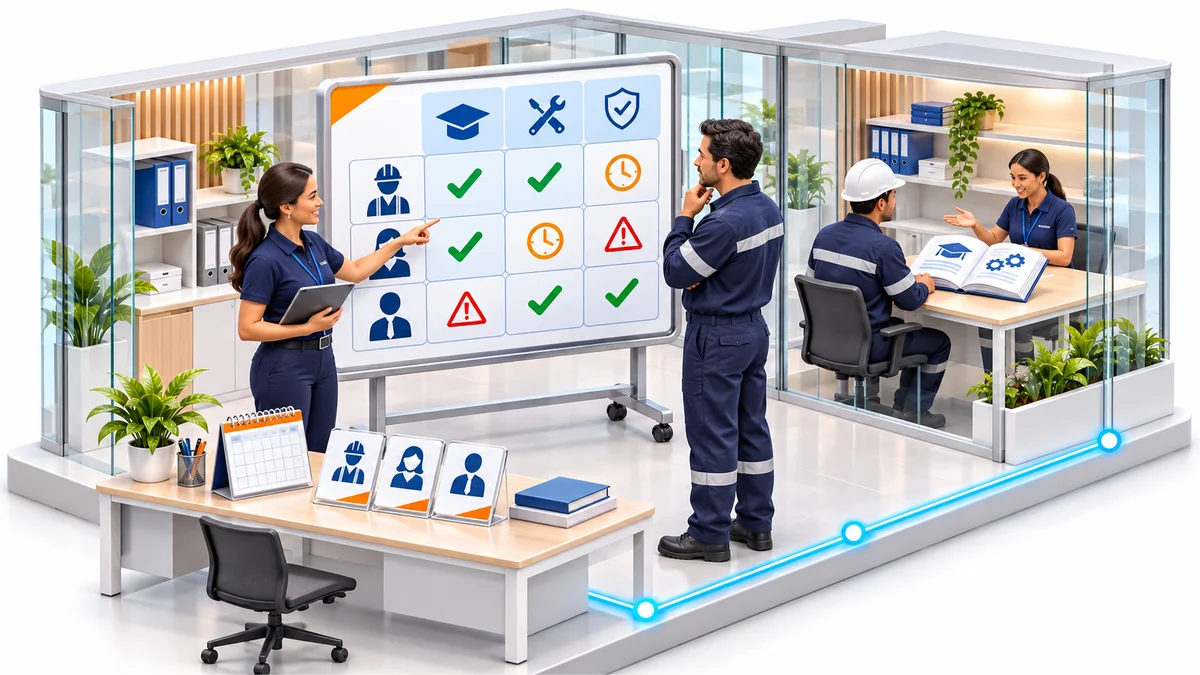
A training plan defines the courses each role needs and when to renew them. The matrix shows whose training needs attention first.
Usage example. A security company reviews refresher training by site, schedules renewals and keeps every course result without losing the history.
Explore the use case
Bring together training records, validity and evidence for your workforce. Prepare a review without searching separate folders for each certificate.
Usage example. A contractor prepares for a client review: filters staff by site, checks their courses and provides the matrix with the relevant training evidence.
Explore the use case
Offer courses with lessons, content and quizzes. Each person progresses and receives a verifiable certificate when they complete their training.
Usage example. A company organizes team induction: provides learning materials, reviews assessment attempts and checks every participant’s progress.
Explore the online classroomWork with the employees, roles and sites in OpenBusiness. Bring evidence to the context where your team needs it.

Receives employees, roles, workplaces and sites. New hires or role changes update required courses.
Shares employee and role context to connect worker preparation with daily operations.
Provides training evidence for requirements agreed with clients and in public procurement.
Lets you consult the matrix for staff assigned to a site to support service delivery.
Stores evidence and certificates with versioning and access permissions.
Shares users, roles and company context, and connects follow-up with scheduled reports.
Bring together your spreadsheets, courses and supporting documents to build a searchable training history.
Import Excel or CSV files, map their columns and review the data before confirming.
Keep the date, result, evaluator and evidence even when the course was taken outside the online classroom.
Export the matrix and indicators to Excel or PDF and add sessions to a calendar with an .ics file.
Role requirements and configured dates keep the items your team needs to address in view.
Courses in the plan are assigned to the relevant workers. Exceptions retain a justification.
Status is updated nightly and when training records or requirements change.
Configure how far ahead you want to identify expiring courses and organize their renewal.
Assign responsibilities, prepare your data and preserve the change history. An advisor helps you review the scope for your operation.
Separate training administration from auditor access. Preserve evidence permissions.
See who made a change, when and which values changed. Voided records and exceptions require a reason.
Prepare roles, courses and renewal rules; review the import file and assign responsibilities before activating your plan.
Yes. Upload Excel or CSV, map columns and review row-level validation before confirming. Each batch remains traceable.
Yes. Record in-person or blended training with evidence and deliver video, PDF, image and text courses in the online classroom.
The plan links courses to roles and lets you define levels, prerequisites and mandatory courses. Worker exceptions require a reason.
The matrix, indicators, gaps and record history with certificates, attendance records or photos. Classroom certificates have public code verification.
Yes. Updating a plan preserves its previous version. Completed records stay in the history; errors are voided with a reason.
Your list of workers and roles, courses and renewal periods, prior records and the people responsible for managing and reviewing training. Contact an advisor to review your operation.
Tell us about the roles, sites and courses you manage. Let’s review how to organize the matrix, evidence and online classroom for your operation.