 OpenBusiness by Tradebook
Follow-up no longer depends on memory
Bring calls, notes, tasks and appointments together. Each opportunity has an owner and a next action, even when responsibility changes hands.
Quote, invoice with DIAN, sell online and chat on WhatsApp from a single customer record.
SCServices and ContractsOperations manager · Deliver and billQuote with margin, run orders at actual cost, sign contracts and serve in the field.
ABSupply and ProductionPurchasing / logistics / plant · Source and produceManage purchasing, inventory, imports and production, with lot tracking, quality control and actual cost per order.
FIFinanceAccounting / financial management · Balance the booksEvery operation is reflected in your accounts. Manage taxes, banks, assets and period closing.
PEPeopleHuman resources · Care for the teamElectronic payroll and social security contributions, signed uniform deliveries and tracking of valid courses and certificates.
PLPlatformIT / management · Included with every purchaseAutomate tasks, ask your AI assistant, connect other applications and control access and changes.
Staffing contracts by site, special services, supplies at cost, AIU and per-worker annex.
SCPEABPrivate securityStaff per post with surcharges, uniforms and PPE with signed records, training with expiry dates.
SCPEFITemporary staffing and outsourcingWorkers on assignment, pre-invoice per worker, electronic payroll and PILA costed to the client.
PESCFIDistribution and consumer goodsRoutes and collections with Trade360, inventory movement records per warehouse, filling and packing, catch weight, batch labels.
COABSCRetail, stores and restaurantsPoint of sale with electronic POS document, online store, marketplaces and inventory.
COABFIImporters and trading companiesImport and export checklists, import declaration costs included in inventory and foreign currency operations.
ABFICOManufacturing and industryRecipes and bills of materials, production orders, actual cost, make-to-order, purchasing and batches.
ABPEFITechnical service and maintenanceField work orders with forms and evidence, support with agreed response times and spare parts tracked in inventory.
SCABCOGovernment contractors and suppliersContracts with Colombia’s SECOP II procurement platform, adjustments based on inflation, minimum wage or tax units, agreed service times, insurance policies and document history.
SCFIPEAgribusinessHarvest or livestock intake with weighing, quality and settlement; batches and traceability; field staff.
SCPEABFood and beverageBatch recipes, signed critical control points, traceability to origin, catch weight and harvest settlement.
ABFICOChemicals, cleaning products and cosmeticsPercentage formulas with versions, pH and viscosity as critical points, health notification and data sheets.
ABFICOConnect your team, customer history and sales process. From the first conversation to the quote, contract and invoice, with the context you need to move forward.

CRM means customer relationship management: understanding your customers, following up and coordinating what happens after the sale.
Bring calls, notes, tasks and appointments together. Each opportunity has an owner and a next action, even when responsibility changes hands.
View related contacts, companies, conversations and documents. Pick up a relationship without asking the customer to explain everything again.
Review open deals, time in each stage, losses and overdue tasks. Distinguish the total value of active opportunities from the forecast for closing them.
Every conversation leads to a next action. Every update is available to the team.
Review overdue tasks, upcoming appointments and opportunities that have spent too long in one stage.
Open the customer's record, review their history and capture what they need before presenting a proposal.
Configure products and prices, review discounts and request the approvals your company requires.
Schedule an activity or share a booking link. At closing, record the outcome and continue into sales or services.
Organize how leads come in, what they need to move forward and who takes ownership. Open each area to explore the details.
Know where each expression of interest came from and who should respond.
Adapt the pipeline to your process and make the next requirements visible.
Configure products, calculate prices and prepare proposals with discount controls: that is CPQ, or configure, price, quote.
Bring your team's knowledge together to sell and serve with context.
Share a link so the customer can choose an available time.
Compare sales activity with what you win, lose and expect to close.

Connect the way you sell to the next step: a proposal, a contract, a follow-up or an appointment.
 01
Coordinate a sales cycle with several conversations, quotes with pricing approval and a shared view of when the deal may close.
For example. A distributor identifies a customer's needs, prepares an equipment proposal, requests approval for a discount and agrees on a follow-up date. Managers review the opportunity with its current value and stage.
Explore this use case 02
Give operations the context of the sale and continue with the contract, service quote and related billing documents.
For example. A maintenance company negotiates service for a customer's equipment. After winning the deal, it starts the contract from the opportunity and coordinates the scope with operations; visits, costs and invoicing continue in their respective modules.
Explore this use case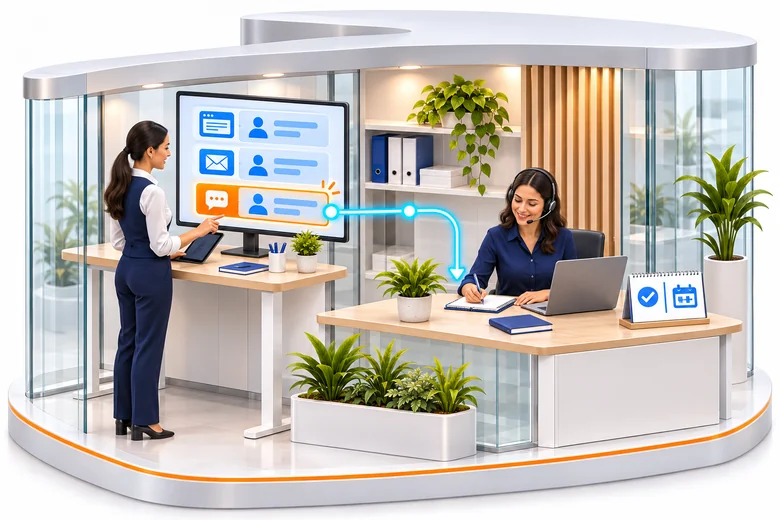 03
Bring inquiries from different channels together, prioritize them with rules and turn interest into a conversation with follow-up.
For example. A distributor receives an inquiry through a form. Its source is retained, an owner is assigned, and the salesperson records a call and the next task before turning it into an opportunity.
Explore this use case 04
Offer a public booking link and coordinate the availability of a salesperson or team.
For example. An adviser shares her booking link with a lead. The customer chooses an available time and the team receives the appointment with the context needed to prepare for the conversation.
Explore this use caseOpenBusiness modules share sales context. You decide when an opportunity becomes a document, a contract or a service request.

CRM → Sales: customer, salesperson, currency and opportunity origin. Sales → CRM: related documents, status and totals to review the sales journey.
Sources, campaigns and behavior inform the customer relationship; sales results help you analyze campaign conversion.
Messages and contacts from configured channels add context to the customer record; the team continues responding from the corresponding inbox.
Customer support shares the customer's context and requests with sales follow-up, without turning an opportunity into a support case by default.
The opportunity is linked to the service proposal, its cost and margin; delivery and its costs continue in the service module.
CRM → Contracts: start a contract from the won opportunity, with the customer and reference details; the connection to the sale is retained.
Trade360 connects the customer relationship and field activities according to the configured sales or service delivery workflow.
Work with leads, contacts and opportunities even if you invoice in another system. Connecting that system requires defining the data, permissions and exchange method.
Import companies and contacts from Excel with a template, field mapping and a preview. You can manage the customer relationship before creating a billing customer record.
Google Calendar and Outlook sync your schedule through account authorization and provider permissions. Define availability, time zones and the calendar involved.
The application programming interface (API) and event notifications (webhooks) let you design data exchanges. Validate the scope of each connection: a universal connector or automatic invoicing in another system is not assumed.
Automation and artificial intelligence help you prioritize, prepare and coordinate. Your team retains control of decisions and approvals.
Combine email, WhatsApp, text messages and tasks in an organized follow-up process. Account for working hours, consent and exit rules when a contact replies, buys or books, using the configured channels.
Scoring and analytics help focus attention; the Copilot lets you look up information and prepare work. Actions that change data require confirmation.
Automate prospecting and collections tasks with authorized tools, budgets and human control. Agents that handle conversations serve a different purpose: keeping a dialogue with the customer through their channels.
Start with how you sell: owners, data, stages and closing criteria. Then connect the channels and operations you need.
Contextual help supports CRM tasks. The «Automatiza Agenda» learning track shows you how to connect a booked appointment to a team notification, test the workflow and activate it with control.
Define who can view, edit, reassign and approve. Keep an audit trail of actions and channel consent with its evidence; opt-outs should be part of your communication rules.
Review your contact database, configure teams and stages, and rehearse a complete sales journey. Discuss connections, training and support needs with the implementation team. Adapt workflow, sequence, form and report templates from the gallery. Review your company’s fields and connections before activating them.
Yes. You can manage leads, contacts, companies, opportunities and activities without invoicing in OpenBusiness. If you need to exchange information with another system, the connection must be defined and validated; automatic synchronization is not assumed.
The sales outcome is recorded. You can start a contract or open a sales document with customer, salesperson and currency already filled in. Document details, review and issuance are handled in the corresponding module.
Yes. Contact and company imports use a template, field mapping and a preview. Review identifiers, owners and duplicates before applying the import.
No. It is an estimate based on opportunities and the available history. Its usefulness depends on data quality and quantity, probabilities and how consistently the team updates its deals.
Customers use the public booking link to choose an available time. The team configures availability, the information requested and appointment conditions.
You configure the accounts, channels, permissions and services of the relevant providers. Operation must respect the contact's consent and each channel's rules.
The languages of this marketing website do not by themselves determine the languages of the application, courses or support. Discuss your specific needs with the OpenBusiness team.
Tell us how leads reach you, how you prepare quotes and what happens after closing. Let's explore that journey in OpenBusiness.