OpenBusiness by Tradebook
Product
Cleaning and facility management

Staffing contracts by site, special services, supplies at cost, AIU and per-worker annex.

SCPEAB
Private security

Staff per post with surcharges, uniforms and PPE with signed records, training with expiry dates.

SCPEFI
Temporary staffing and outsourcing

Workers on assignment, pre-invoice per worker, electronic payroll and PILA costed to the client.

PESCFI
Distribution and consumer goods

Routes and collections with Trade360, inventory movement records per warehouse, filling and packing, catch weight, batch labels.

COABSC
Retail, stores and restaurants

Point of sale with electronic POS document, online store, marketplaces and inventory.

COABFI
Importers and trading companies

Import and export checklists, import declaration costs included in inventory and foreign currency operations.

ABFICO
Manufacturing and industry

Recipes and bills of materials, production orders, actual cost, make-to-order, purchasing and batches.

ABPEFI
Technical service and maintenance

Field work orders with forms and evidence, support with agreed response times and spare parts tracked in inventory.

SCABCO
Government contractors and suppliers

Contracts with Colombia’s SECOP II procurement platform, adjustments based on inflation, minimum wage or tax units, agreed service times, insurance policies and document history.

SCFIPE
Agribusiness

Harvest or livestock intake with weighing, quality and settlement; batches and traceability; field staff.

SCPEAB
Food and beverage

Batch recipes, signed critical control points, traceability to origin, catch weight and harvest settlement.

ABFICO
Chemicals, cleaning products and cosmetics

Percentage formulas with versions, pH and viscosity as critical points, health notification and data sheets.

ABFICO
Recommended suites:COSalesSCServices and ContractsABSupply and ProductionFIFinancePEPeople
Skip to content
Platform · AI Employees

Hire your AI team. It works inside your system.

Artificial intelligence employees that answer and make calls, reply to email, collect payments, follow up on quotes, reconcile the bank or summarise your day. They use your company’s real data, ask for your approval on your phone for what matters and go live in minutes from a template.

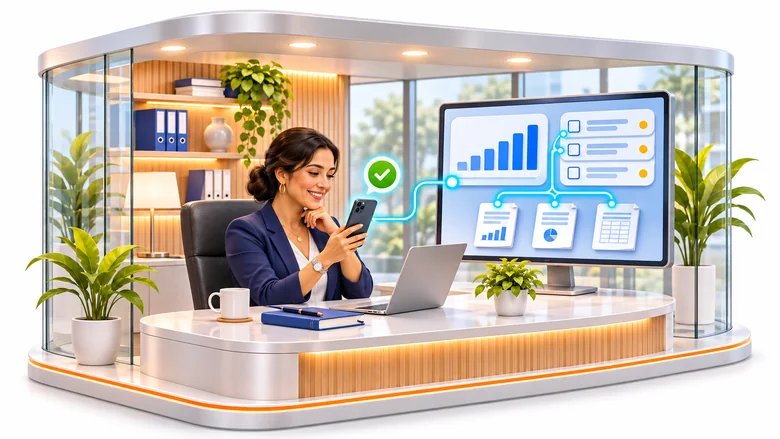
Service, sales, marketing, finance, operations, people and management teams connected to a business owner approving a request on her phone.
A working day

A day with your AI team.

Follow one day at a service company: what each employee does, what it works with and when it asks you. Everything happens inside OpenBusiness, on the same customers, invoices and appointments your team uses.

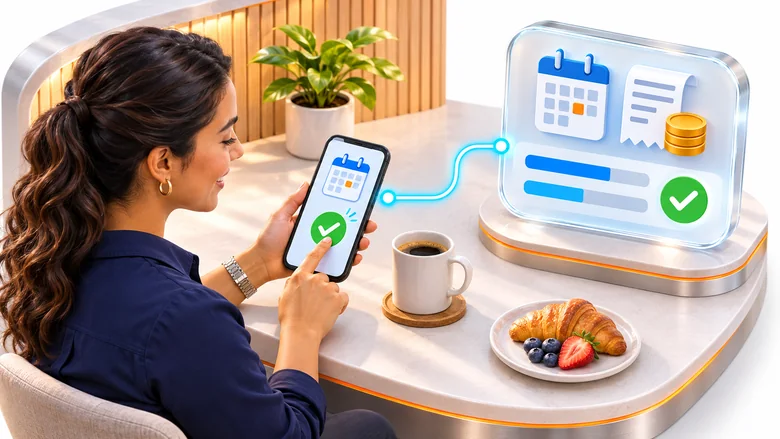
A business owner reads the day’s summary with figures on her phone and approves a request with one tap.
07:00

The day starts with one message, not twenty screens.

Before your first coffee, the chief of staff writes to you: today’s appointments, open quotes, overdue invoices, what was collected and what is waiting for your decision. The figures come from your system exactly as they are; artificial intelligence only writes them up in three sentences, and if it could not read them it tells you instead of making them up.

Below come the pending approvals: the discount a customer asked for, the reply to a complaint, a refund. They reach you in the app, on WhatsApp or by email; you answer with one tap wherever you are and the work carries on. The first answer is the one that counts, who decided and from which channel is recorded, and anything nobody answers expires and follows the path you defined for that case.

Meet the chief of staff


A voice wave answers a customer’s call, checks the calendar and passes the urgent case to a technician’s mobile.
08:15

The phone is answered on the first ring, in your brand’s voice.

The first call comes in and the receptionist greets with your company name and says she is a virtual assistant. She understands what the customer needs, quotes only from your price list, offers two open slots from the real calendar, books the appointment and confirms it by message. She answers sentence by sentence, without long silences, and can be interrupted as in any conversation.

You choose the voice: browse the catalogue by language and accent, listen before you decide — even with a test call to your mobile — or register a voice of your own with its owner’s written consent. If the customer switches language, so does she, with up to four languages per line.

And when something goes off script — an emergency, a price that is not on the list, someone asking for a person — she transfers the call to the mobile on duty and briefs whoever answers with a summary. If nobody picks up, she leaves you the task of calling back. Every call is kept in the CRM with its transcript and a summary.

Meet the phone receptionist
A mailbox sorts emails into replies sent in the same thread, a draft awaiting approval and discarded mail.
09:30

Email is answered in the same thread. Sensitive cases wait for you with the draft ready.

The inbox manager reads the mailbox you connected — Google, Microsoft 365 or any IMAP mailbox — and classifies each message: question, complaint or junk. Questions are answered in the same thread, using only your policy document, so the customer gets an ordinary reply from your usual address.

Complaints never go out on their own. It writes the draft, sends it to you for approval and only sends it with your go-ahead; if you decide not to approve it, the case is flagged for you to answer yourself. Junk mail is ignored without bothering you.

Meet the inbox manager
Three quote reminders move along a timeline and a voice agent calls the lead while the salesperson sees the outcome on the record.
11:00

No quote is left without follow-up. No lead without an answer.

The deal closer reviews the quotes that are still unanswered and writes a personal reminder at 2, 5 and 10 days, mentioning what was quoted. It leaves a note on the opportunity, never sends the same reminder twice and, if the customer asks for a discount, asks you first.

When writing is not enough, the agent calls. You launch it from the customer record or leave it automatic: for the lead that just arrived, the quote that has sat still for three days, the customer who has not bought in three months. It introduces itself as your company’s virtual assistant, says why it is calling and, when it hangs up, leaves the outcome and the next action on the record, so your salesperson picks up without asking what happened.

Meet the deal closer
An invoice with a payment link reaches a customer’s phone during a call, next to a permitted-hours clock and a contact-rules shield.
14:00

Collecting stops being the awkward call of the week.

The invoice goes out and the collections agent sends the payment link. If it becomes overdue, it sends a friendly reminder on day 3 and a firmer one on day 7, letting you know; when the payment arrives, it thanks the customer and leaves a note. Refunds are never its decision: they reach your phone.

It can also call. On the phone it only says it is calling “about a matter on your account”, because someone else may answer; it confirms who it is speaking to — by the number they are calling from or with a code sent by SMS — before mentioning figures, and sends the payment link by SMS or WhatsApp without hanging up. It never asks anyone to read out a card: if the customer starts to, it stops them and the number is not stored.

Before every call or message, the contact rules for the country and the purpose are checked: hours, days, weekly limits and the list of people who asked not to be contacted. Colombia’s Law 2300 of 2023 comes preloaded. Outside permitted hours, an automatic call is rescheduled for the next allowed window, and a “don’t call me again” excludes that number on the spot.

Meet the collections agent
A voice agent calls a list of customers across time zones and a dashboard shows reached, voicemails and budget.
16:00

A hundred calls in one afternoon, each at the right time.

To confirm tomorrow’s appointments or reach a whole list, you set up a campaign: pick contacts or leads, a CRM segment or upload a file, and the agent calls one by one with the same care as a single call. Each person is called in their local time and under their country’s rule; if their time zone cannot be established, they are not called.

You set the pace: how many calls at once, how many retries and how far apart, and a budget that pauses the campaign when it is reached. If voicemail answers, the agent leaves the message you defined or hangs up and tries again later. If the customer asks for a person, the call goes to the softphone of whoever is available, with the summary on screen.

The dashboard shows the campaign as it runs: dialled, reached, goal met, voicemails, people who asked not to be called, minutes and cost against budget. And it warns you if the number needs to register its identity or starts being flagged as spam, because numbers are not rotated here to dodge blocks.

See how the agent calls
An adviser takes a call in the browser with the customer record in view while a supervisor follows another call live.
At any time

Your team uses the same phone and the same record.

AI employees do not work on an island. Your people make and take calls in the browser, with no mobile needed: an incoming call rings everyone who is available and whoever answers sees the customer record before saying hello. If nobody can answer, the call goes to the voice agent or to voicemail, which arrives transcribed.

From the contact, lead, opportunity, ticket or receivables record you can call, text, send a WhatsApp or an email, under the same contact rules the agents follow. When the call ends the outcome must be recorded, the call is transcribed and summarised by AI, and for a long list there is the dialler, which calls in sequence and drops a pre-recorded voicemail with one click. Recording is optional and always announced.

Supervisors see the calls the agent is handling live, read the transcript as it happens and can take the call on their softphone whenever they see fit.

See phone answering
Three screens — prepare, test and switch on — lead to a dashboard with each AI employee’s status, activity and cost.
Before and after going live

You test it before you hire it. You measure it while it works.

Hiring an employee takes three screens: prepare, test and switch on. The first shows what is missing — a number, a mailbox, the calendar, the payment gateway — with a link to where it is fixed, and asks once for your business details: trading name, hours, service area, price list, the owner’s mobile. The next employee you hire already has them.

Before publishing a voice agent you can run simulated calls on your test cases. Each one checks that it introduces itself as a virtual assistant, does not read links aloud, does not ask for a card and answers in time.

Once live, every call gets an evaluation: whether it was resolved, how the customer felt, what was discussed and what it could not answer. Analytics bring together resolved and transferred calls, duration, response time, languages and estimated cost per call. On your home page, “My AI employees” shows which are active, their latest activity and their AI cost for the month; and in “Usage and balance” you see minutes, messages and artificial intelligence, whether you use your own telephony and AI accounts or numbers and capacity managed by OpenBusiness.

See how hiring works
Teams

Seven teams, 33 employees ready to hire.

Start with the work that takes the most time from your company. Each employee is installed from a template and adjusted to your business.

Calls, messages, reviews and a knowledge base connected to the service team.
Team

Customer service

Answers calls, messages and emails, protects your reputation and learns from every case.

Inbox manager

Reads your email, answers the simple ones and leaves sensitive ones for your approval.

“Do you bring the cleaning products or should I?”
View employee
A lead funnel connects quotations, orders and meetings for the sales team.
Team

Sales

Replies to leads within minutes, quotes, follows up and flags which deals are at risk.

Lead qualifier

Replies to new leads within 5 minutes, qualifies them and books meetings.

“I saw your ad. How much is the plan for 20 people?”
View employee

Prospector

Researches companies, builds the list and writes the first message.

“Find food distributors in Medellín with more than 50 employees.”
View employee

Call recap

Listens to the call and leaves notes and tasks in the CRM.

“We agreed to send the proposal on Thursday and call the purchasing manager.”
View employee
A studio connects content, a publishing calendar, ad results and an online store.
Team

Marketing

Creates content, posts on social media, looks after your ads and sells in your online store.

Invoices and receipts connect to payments, bank reconciliation and a financial summary.
Team

Finance and admin

Invoices and collects, reconciles the bank, records supplier invoices and expenses, and explains your numbers.

A warehouse connects supplier purchases, technician visits and deliveries.
Team

Operations and purchasing

Follows up with suppliers, replenishes stock, coordinates technicians and announces deliveries.

Supplier follow-up

Confirms your purchase orders and warns you if a supplier changes dates.

“We can only deliver 60% on Tuesday and the rest on Friday.”
View employee
Employee queries, payroll updates and interviews come together in the people team.
Team

People

Answers your team’s questions, records payroll changes and supports recruiting.

A director reviews the business summary, its indicators and pending approvals.
Team

Leadership

Summarises your day every morning and answers your questions about the business.

Chief of staff

Every morning, one message with what happened and what needs your OK.

07:00 — “14 calls, 9 appointments, 3 emails need your OK, 2 quotes, $2,800,000 collected.”
View employee

Data analyst

Ask it about your sales, inventory or receivables in plain language.

“Who were my top 10 customers by sales this year and how much do they owe?”
View employee
How it works

Every employee has four parts.

What wakes it up, how it does the job, what it can touch and what it asks you first. So you always know what it does and why.

  1. Trigger

    What puts it to work: a call, an email, an overdue invoice, an unanswered quote or a time of day.

  2. Instructions

    How you want the job done: your tone, prices, policies and process steps, written in plain language.

  3. Tools

    What it can touch inside OpenBusiness: calendar, CRM, invoices, receivables, inventory, messages and calls, with the permissions you give it.

  4. Approval line

    What it must ask you first: discounts, refunds, complaints or payments. The question reaches your phone and you answer with one tap.

Why OpenBusiness

Not a separate assistant. It works inside your ERP.

OpenBusiness AI employees really invoice, collect, book and quote, on the same records your team uses.

01

Works with your real data

It does not copy information into another tool: it reads and updates the same customers, invoices, orders and appointments in your ERP.

02

Asks permission on your phone

Sensitive work goes through you: the request reaches the app, WhatsApp or email, you approve with one tap and the work continues.

03

Hire it in minutes

Choose a template, connect what is missing, test it with sample data and switch it on. No coding.

Hiring

Hiring an employee takes minutes.

Templates bring the workflows, agents and approval rules. You add what only you know about your business.

  1. Choose

    Pick the employee in the gallery. Its profile tells you what it does, what it creates in your system and what it will ask you before acting.

  2. Prepare

    Connect what is missing — your number, mailbox, calendar or payment gateway — from each requirement’s link, and enter your business details once. They are saved for the employees you hire next.

  3. Test

    The instructions come written and you adjust them in plain language. Test it with simulated cases, by chat or as a call, before it talks to a customer.

  4. Switch on

    Switch it on and follow it from your home page: status, latest activity and cost for the month. You can adjust it, pause it or reinstall it without duplicating anything.

Control

They work on their own. You decide how far.

Every employee has limits, a budget and a direct line to your phone. You can watch it, adjust it or stop it at any time.

One-tap approvals

Discounts, refunds, complaints and payment arrangements wait for your decision in the app, WhatsApp or email. The first answer counts, who decided is recorded, and anything nobody answers expires and follows the path you defined.

Transparency with customers

Employees who talk to customers introduce themselves as virtual assistants, hand over to a person when the customer asks and never ask anyone to read out a card: payments go by link.

Visible costs

See each employee’s usage in minutes, messages and artificial intelligence, with budgets and alerts before the limit. If the voice budget runs out, new calls go to your team’s mobile instead of being cut off.

Contact rules

Hours, contact limits and exclusions by country and purpose are applied before calling or messaging, including Colombia’s Law 2300. Every attempt, allowed or blocked, is audited with its reason.

Full traceability

Every conversation, call, approval and action is kept in the trace, with transcripts, the evaluation of each call and the reason for each decision.

Permissions and control

Each employee only sees and does what you authorise by company and role. You can pause it, change its instructions or stop all of them at once.

Frequently asked questions

Before you hire your first AI employee.

What is an AI employee?

A ready-to-use combination of artificial intelligence agents and automation workflows that does a complete job: it has a trigger, instructions, tools and an approval line to you.

Do I need to know how to code?

No. They are installed from templates, adjusted in plain language and tested before going live. You can also describe a workflow in your own words and the assistant builds it on the canvas.

Does it replace my team?

It takes over repetitive work: answering the same questions, chasing payments, following up, reconciling. Important decisions remain yours or your team’s.

What if it makes a mistake?

Sensitive work always goes through approval, every action is logged and you can hand the work back to a person. You also test it with simulated cases before switching it on.

How much does it cost?

You pay for each employee’s usage: voice minutes, messages and artificial intelligence. Use your own Twilio, Meta and AI model accounts, or let OpenBusiness manage them. The sales team shows you the estimated cost per employee.

Can I start with just one?

Yes. We recommend starting with the work that takes the most time, measuring its result and adding employees afterwards.

Does my data leave OpenBusiness?

Employees work inside your ERP with your company’s permissions. They only communicate with the services you connect, such as your phone number, mailbox or payment gateway.

Which languages do they work in?

Spanish, English and Portuguese. Voice employees can handle up to four languages on the same line and switch during the call when the customer does.

Can AI employees call my customers?

Yes. The voice agent calls from a customer record, from an automated workflow or in campaigns. It always identifies itself as a virtual assistant, follows each country’s contact rules, detects voicemail and leaves the outcome in the CRM.

Do I need a Twilio or Meta account?

Not necessarily. You can connect your own accounts or ask OpenBusiness for the numbers and the artificial intelligence capacity; in that case you see the number and your usage, and you do not manage credentials.

What happens when the budget runs out?

You get an alert before reaching the limit. Calls in progress are not cut off and new ones are diverted to the mobile you defined, so the customer always ends up talking to someone.

OpenBusiness AI Employees

Let’s build the AI team your business needs.

Tell us which tasks take the most time from your team. We will show you which employees to hire first, what to connect and what they cost to run.